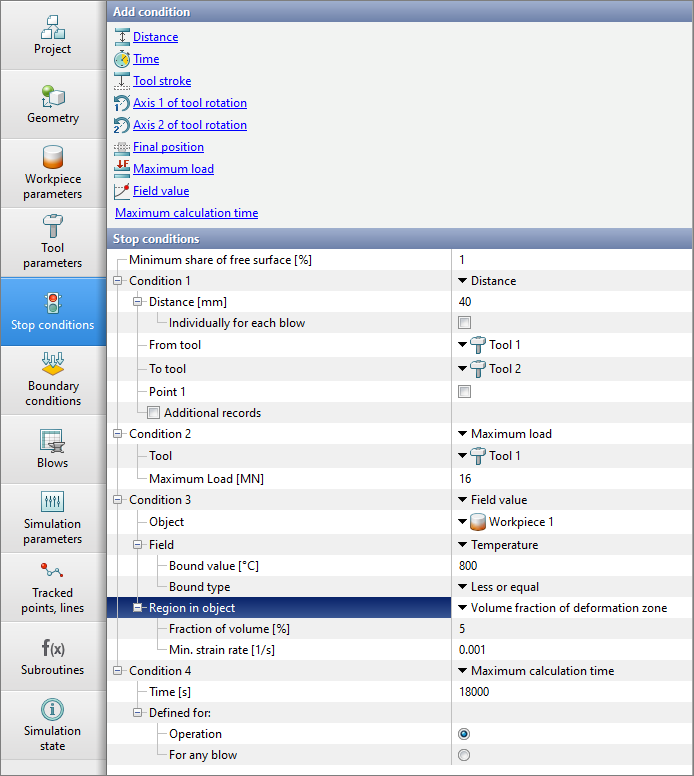
On the tab Stop conditions the criteria for the calculation stop are set:
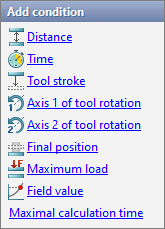
To add the condition it is necessary to click on one of the proposed stop conditions:
After clicking, the stop condition will be added. After that, it is necessary to specify the specific parameters for each added stop condition. Several stop conditions can be set at the same time. The simulation stops when at least one of the stop conditions is realized.
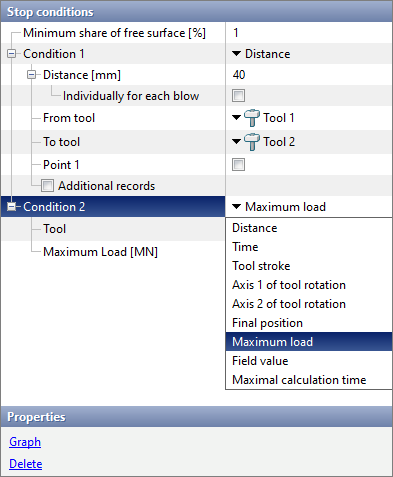
If an unsuitable stop condition has been added, then this condition can be overwrited by clicking on the drop - down list and selecting another condition. If an extra stop condition has been added, it can be deleted by the appropriate commands in the window Properties.

The condition that is in every simulation. The simulation will stop when the ratio of the free surface area of the workpiece to the total plain surface area becomes less than the set value. The default value for this stop conditions is 1%. For example, if more than 99% of the workpiece surface is in the contact with the tool, then the simulation will stop. |

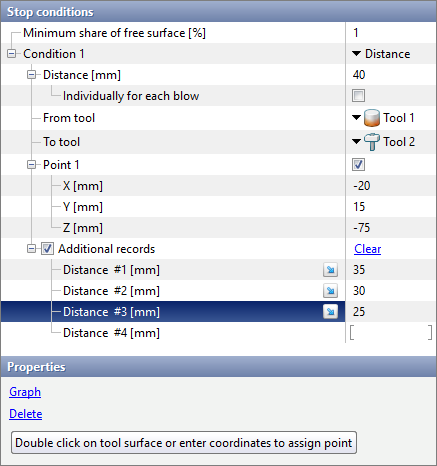
The simulation will stop when the distance between the two closest points of the selected tools is reached, specified in the column Distance [mm]:
The points between which the distance is measured are automatically determined at the beginning of the calculation . The distance is measured along the motion direction of the tool specified in the parameter From tool.
If activated Point 1 and enter its coordinates below, then the distance between the tools will be measured along the line passing through the given point parallel to the motion direction of the drive. This line have to intersect the both tools. Also coordinates Point 1 can be set by double-clicking the mouse in the required zone on the surface of one of the tools, as indicated by the corresponding advise. If activated Individually for each blow, then on the tab Blows you can assign an final distance separately for each blow. The feature is convenient to use when simulation processe is open die forging. If you activate Additional records, then for each additional record QForm UKduring simulation will complete the simulation of steps for which the distance between tools is equal to the specified value. Forced simulation of such steps is possible if it does not contradict the options specified on the tab Simulation parameters. |
||||

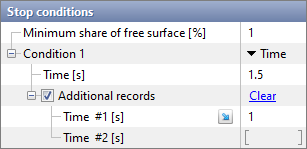
The simulation will stop after the specified process exact time has elapsed:
If you activate Additional records, then for each additional record QForm UKduring simulation will complete the simulation of steps for which the time is equal to the specified value. Forced simulation of such steps is possible if it does not contradict the options specified on the tab Simulation parameters. |
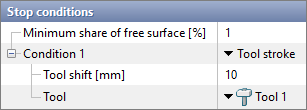
The simulation will stop when the selected tool moves at distance specified in the column Tool shift [mm]:
|
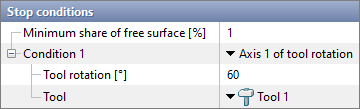
The simulation will stop when the selected tool rotates around Axis 1 (rotating equipment) by the angle user defined in the column Tool rotation [°]:
|
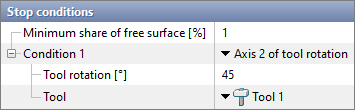
The simulation will stop when the selected tool Axis 1 turn around Axis 2 (rotating equipment) by the angle user defined in the column Tool rotation [°]:
|
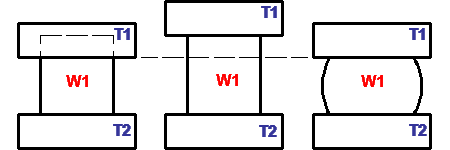
The simulation will be stopped when the selected tool takes the position specified in the initial data:
The picture below shows how this stop condition works:
|
||||||

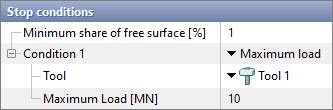
The simulation will be stopped when the user defined load on the selected tool is reached:
|
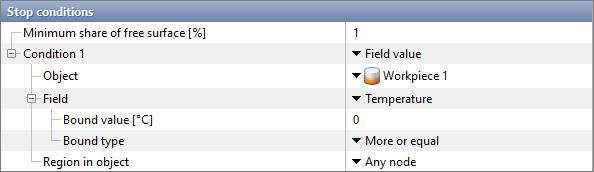
A condition that allows you to pause simulation based on the simulation results. The simulation will be stopped when the user defined criterion is reached:
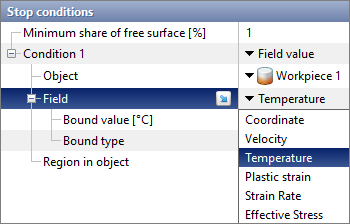
As an object, you can select one of the workpieces. The following fields can be tracked for the selected object :
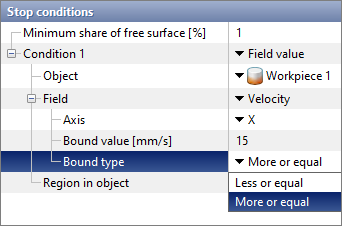
For the selected fields, you have to specify a bound value and a bound type. For fields Coordinate and Velocity additional direction have to be specified.
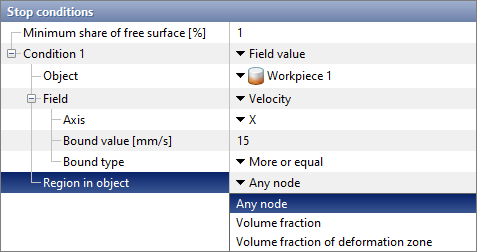
Next, you need to specify the region in object to track. For feature Any node no additional parameters. The simulation will stop if the value of the selected fields in any of the nodes of the selected object is outside the specified boundary.
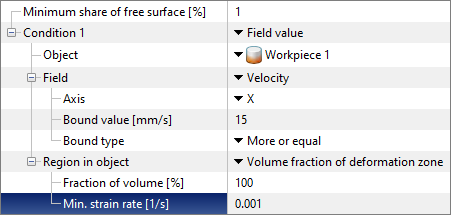
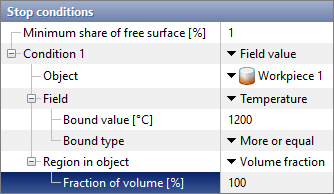
If for the parameter Region in object feature selected Volume fraction, then an additional feature will appear Fraction of volume. The simulation will stop if the value of the selected fields in a certain proportion of the volume of the selected object is outside the specified limit. If for the parameter Region in object feature selected Volume fraction in deformation zone, then in addition to the feature Fraction of volume an additional feature will appear Min. strain rate. In this case, only those volume of the selected object, for which the strain rate exceeds the specified strain rate value, will be taken into account for simulation the volume fraction. Such zones are usually called the deformation zone. The simulation will stop if the value of the selected fields in a certain fraction of the volume of the deformation zone of the selected object is outside the specified boundary.
Example 1. It is necessary to simulate the heating of the workpiece up to 1200 °C. The time of the operation is n/a. In this case, to calculate the time for which the workpiece is completely warmed up to the specified temperature, we use the stop condition Field value.
If [100%] [Volume fraction] [Greater than or equal to] [1200] [Temperature] [Workpiece 1], then the simulation will stop.
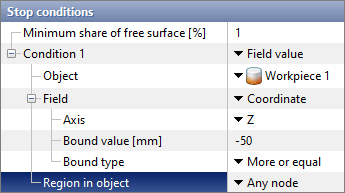
Example 2. It is necessary to simulate the back drawing taking into account the tool deformation. The final position of the tool is n/a. In this case, to calculate the final position, at which the workpiece reaches a certain coordinates, we use the stop condition Field value.
If [Any node] [ Greater than or equal to] [-50] [Z] [Coordinate] [Workpiece 1], then the simulation will stop.
|
||||
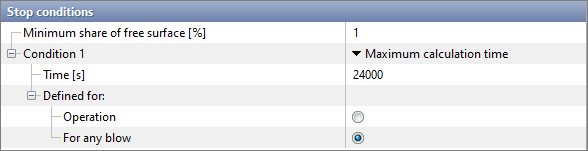
The simulation will be stopped if the time spent on the simulation exceeds the specified value:
It is possible to stop calculation when the duration of the simulation, operation or blow is exceeded. This boundary condition is useful in conbination with other stop conditions if the selected stop conditions may not be achievable or if the Task Manager is used. |