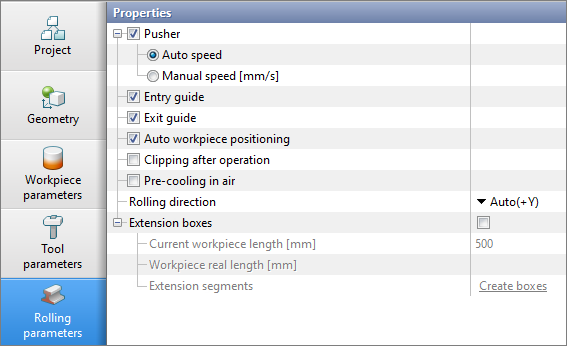
The Rolling parameters tab includes functions specific to longitudinal rolling processes. Such functions include: Pusher, Entry guide, Exit guide, Auto workpiece positioning, Clipping after operation, Pre-cooling in air, and Extension boxes. By default, the following parameters are enabled:
|
Information |
In the module Reverse rolling tab Rolling parameters additionally contains the parameter Three high mill stand, and the parameter Pre-cooling in air, missing - cooling is set in Table of passes. The rest of the parameters work exactly the same as in the module Longitudinal rolling. |
|

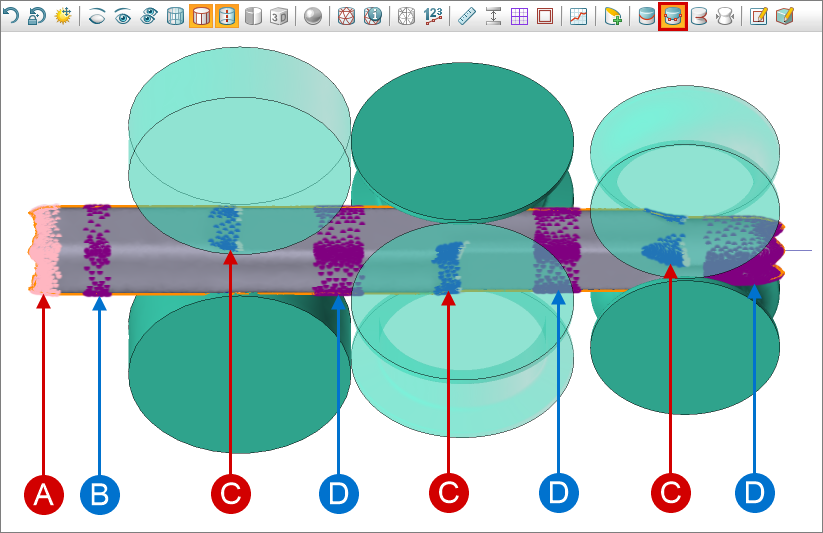
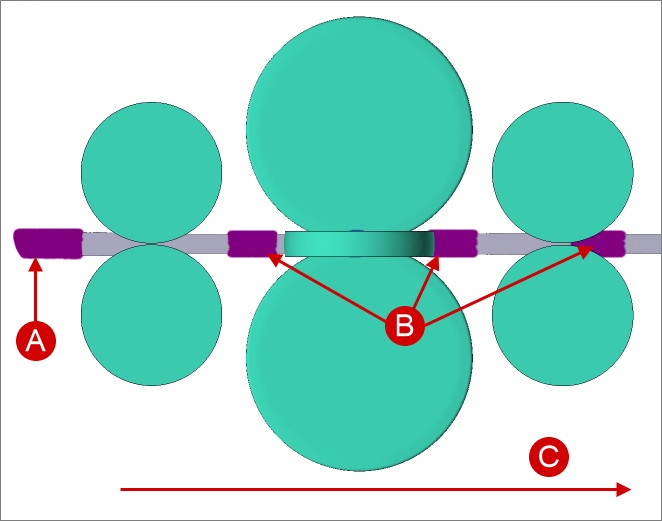
Pusher, Entry guide, and Exit guide are advanced boundary conditions applied to the workpiece without creating a local domain in the tab Boundary conditions. To view the domain of these parameters, show the contact nodes on the workpiece using the button Show/ hide contact nodes on Toolbar.
|
A- pusher; B - entry guide; C - contact nodes with the tool; D - exit guide. |

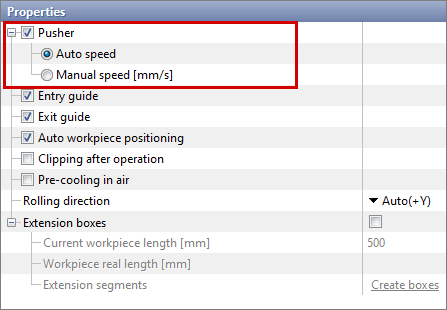
The Pusher boundary condition enables setting the conditions for pushing the workpiece without creating a local domain in the Boundary Conditions tab. The boundary condition parameters include an option to select the Pusher speed - automatic or manual. When the Auto speed parameter is selected for the pusher, the program sets a speed lower than that at which the workpieces exit the rolls.
The Pusher is automatically positioned at the back end of the workpieces and sets its linear speed for putting them into the rolls. If the contact nodes are color purple, this means that the pusher is enable.
The pusher is disabled after the speed of the workpiece from contact with the rolls exceeds the initial speed. If the contact nodes are colored pink color, this means that the pusher is disable.
|
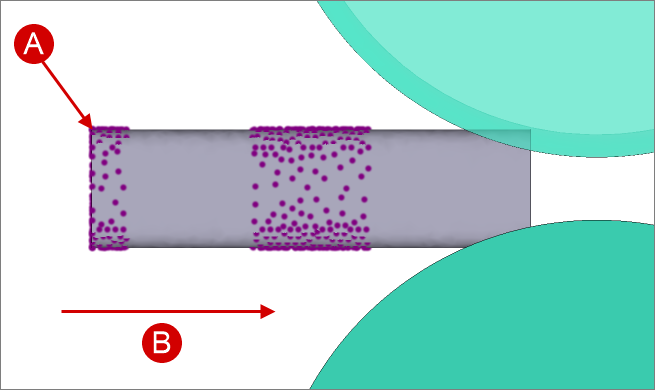
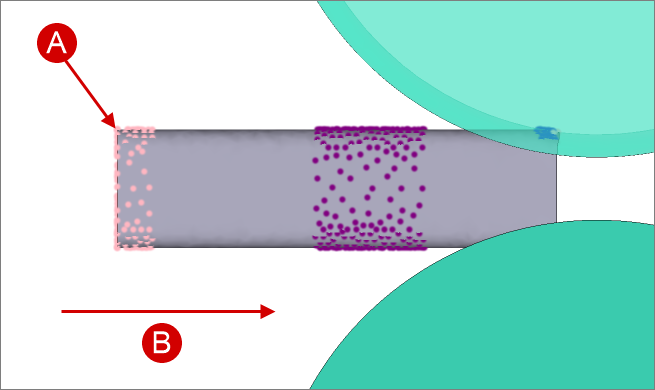
Parameters Entry guide and Exit guide designed to control the position of the workpieces. The Entry guide allows a movement of the workpiece in a plane perpendicular to the rolling axis.The Exit guide prohibits movement along axes other than the rolling axis.
The entry guide is created before entering the first stand, the exit guide is created at the exit from each stand. If the workpiece is deformed simultaneously in two or more stands, the exit guide will be located between the stands.
|
||||||||||
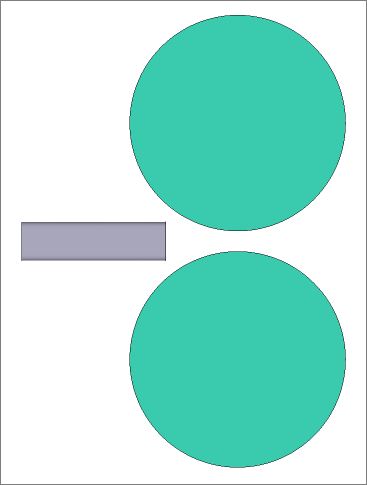
This parameter allows the workpiece to be automatically put in contact with the tool along the rolling axis direction. The workpiece is positioned at the beginning of the simulation.
|
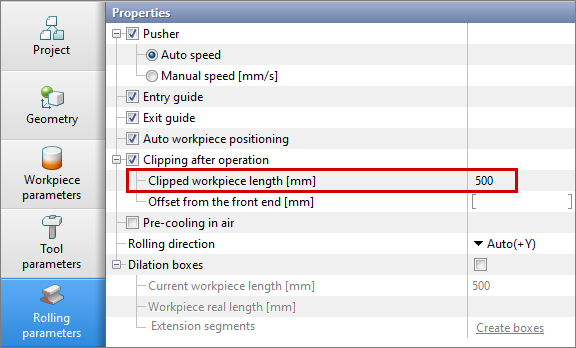
This parameter enables cutting the workpiece at the end of the operation. •When setting Clipped workpiece length the program will cut the back end of the workpiece so that the workpiece length becomes equal to the specified value.
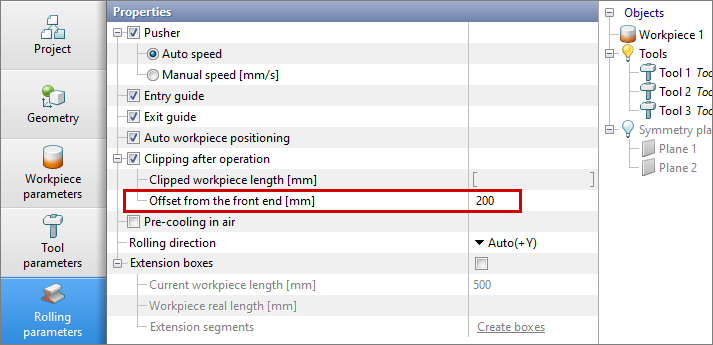
•If additionally specified Offset from the front end , then the program will cut the front end of the workpiece to the specified value, and the back end of the workpiece, so that the workpiece length becomes equal to the value in the Clipped workpiece length.
|
Pre-cooling in air - parameter, designed for simulating the cooling of workpieces in the environment before the pass for a specified time. Can be used to simulate cooling during transport from a heating furnace or cooling during the moving of a workpiece between passes. Simulation of such cooling occurs at the zero step of the pass after starting the simulation. Cooling is carried out in the environment without taking into account contact with the tool.
|
||||
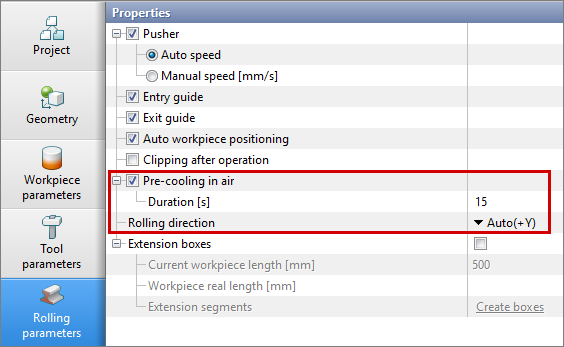
Rolling direction - parameter used to select the rolling direction. By default, the rolling axis is determined automatically, but this parameter can be changed if necessary. The rolling process will be performed along the selected axis.
|
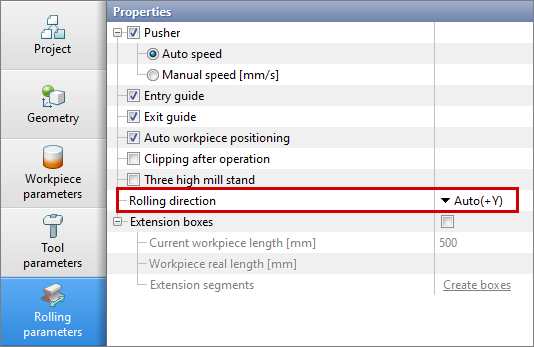
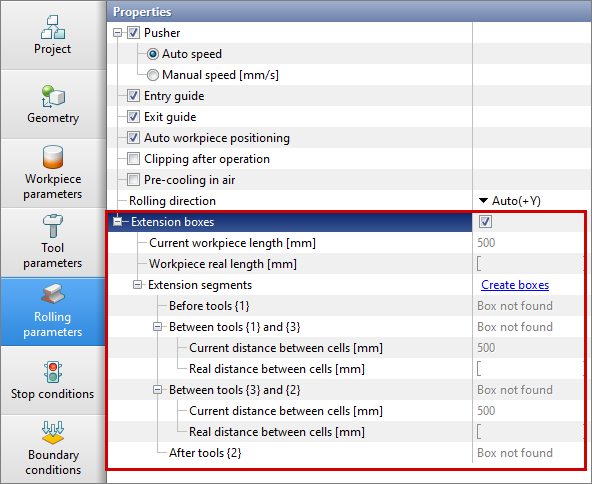
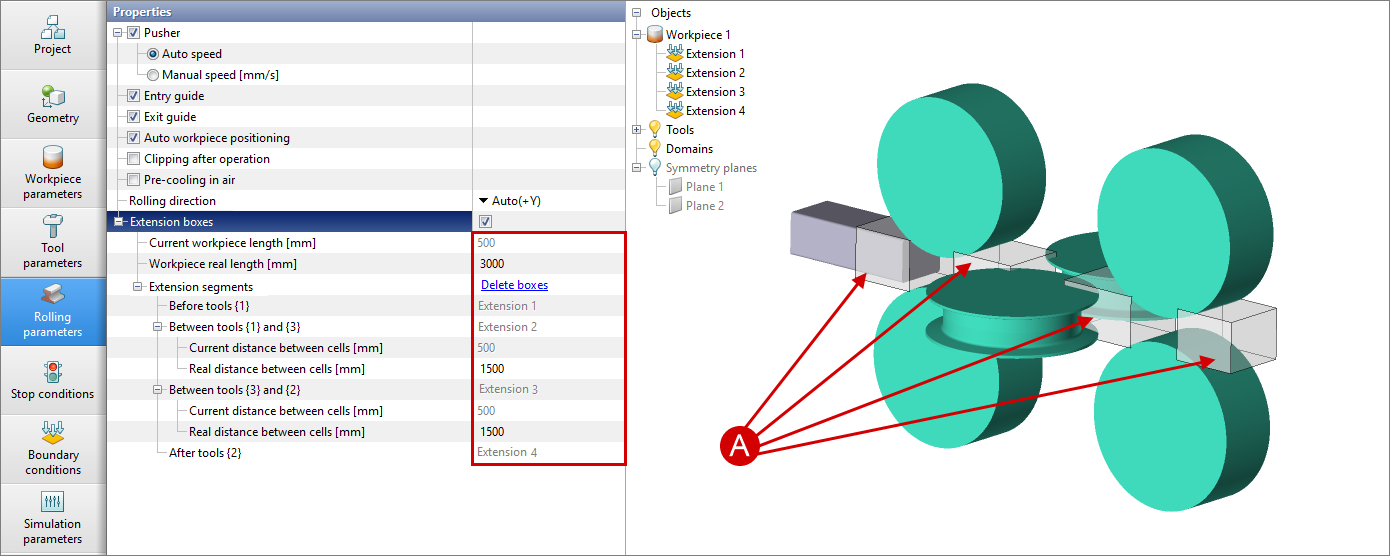
This parameter allows to create of additional boundary conditions in front of and between tools to take into account the real distances between stands and the real length of the workpiece when solving a thermal task.
After activating this parameter, the program will automatically calculate the current length of the workpiece and the real distance between the tools. Then it is necessary to set Real distance between stands and Real length of the workpiece , then press Create boxes . If the Reverse rolling module is selected , parametersCurrent distance between stands and Real distance between stands are not displayed.
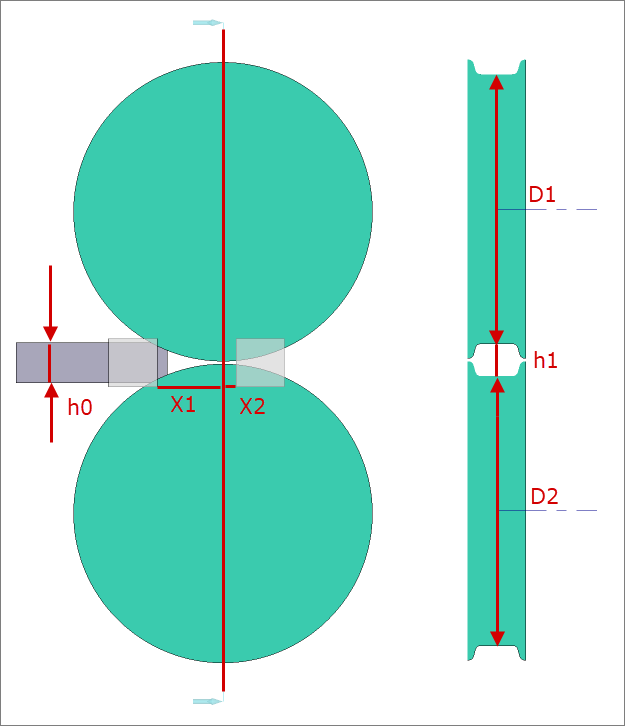
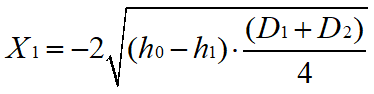
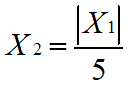
The boxes are placed automatically with an offset calculated according to the formulas given below. If necessary, the created boxes can be positioned manually, similar to boundary condition boxes.
Formulas for calculating the offsets X1 and X2:
|
||||||||||||