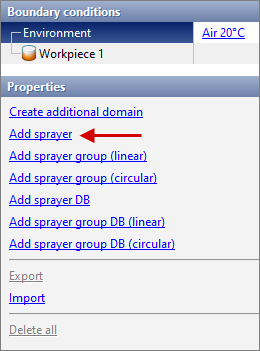
To set a boundary condition Sprayer you need to click on the Environment in the Boundary conditions window and in the Properties window select Add sprayer:
This boundary condition can only be used in 3D tasks.
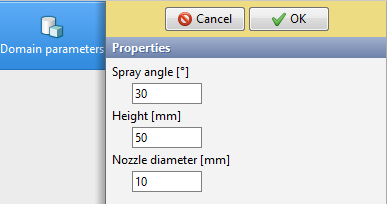
The sprayer is displayed as a geometric domain shaped like a truncated full cone. To define a geometric domain, the user should specify the following parameters:
•Spray angle (opening of a cone);
•Height (the parameter is used only to display the sprayer domain on screen and can be specified arbitrarily);
•Nozzle diameter (diameter of the smaller base of the full cone).
|
Information |
Height of a geometric domain only affects the display of that domain. In fact, the sprayer will act in the same direction and with the same spray angle and outside the geometric domain. |
|

After setting the geometric parameters, it is necessary to assign a heat transfer coefficient for points on the sprayer axis at the initial section of the jet by selecting or creating an environment in the Environment database.
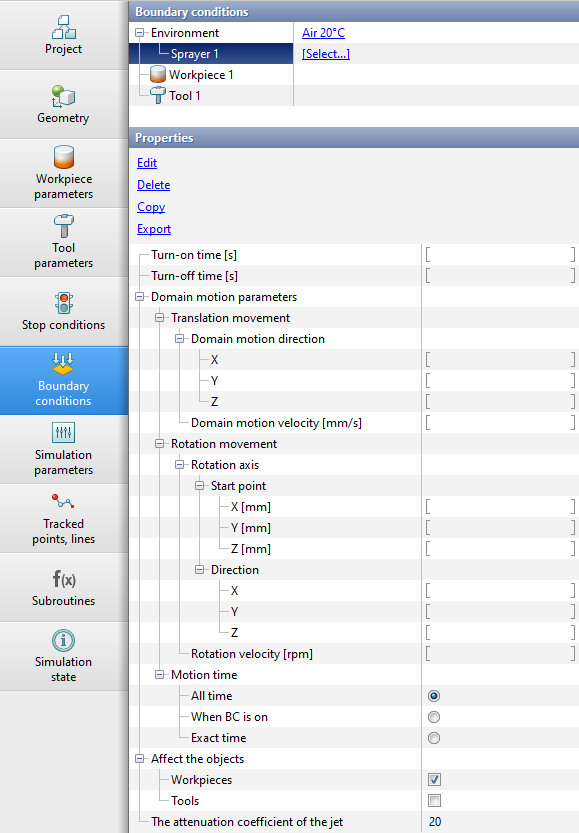
Turn-on and turn-off, translational and rotational movement of sprayers or arrays of sprayers is set in the same way as other boundary conditions.
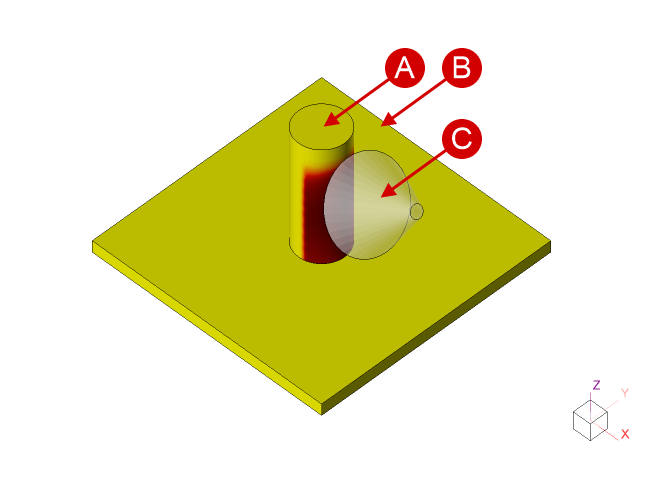
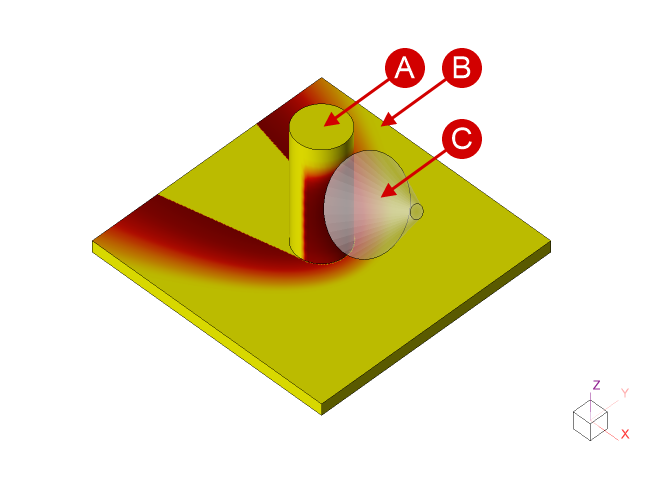
In the thread Affect the objects only Workpiece is activated by default. This means that spray cooling will not be taken into account for tools. If it is necessary to simulate sprayer cooling of tools, it is required in the branch Affect the objects also activate Tool.
|
|
|
Affect the objects - Workpiece |
|
Affect the objects - Workpiece and Tool |
|
|
|
A - Workpiece; B - Tool; C - Sprayer. |
||
|
Information |
During the simulation of sprayer cooling, shadowing of the sprayer jet is possible. Both the shading of one object by other object and the shading of one domain of an object by another part of the same object are supported. |
|
|
Important |
Objects can obscure the sprayer jet even if the type of shading object is not activated in the branch Affect the objects. |
|

Lastly, for the sprayer you should specify The attenuation coefficient of the jet.
It is possible to create an array of sprayers with Add sprayer group command. It is possible to create linear and circular arrays.
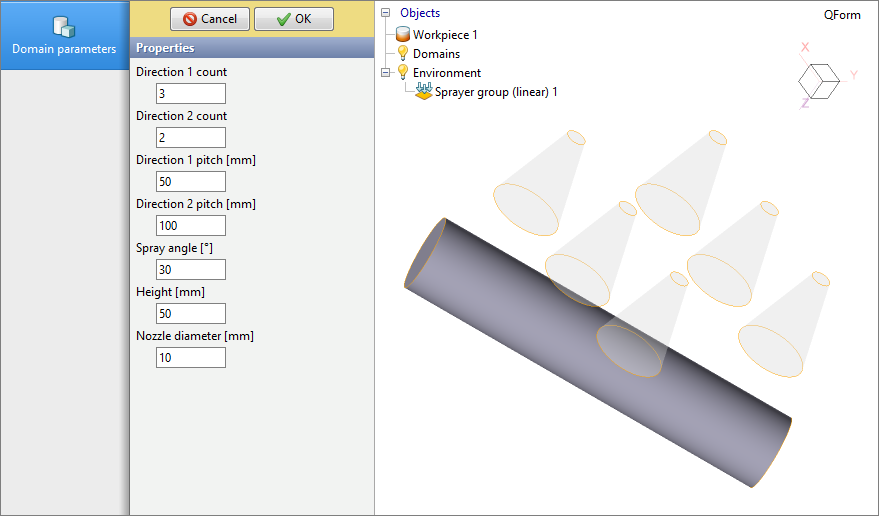
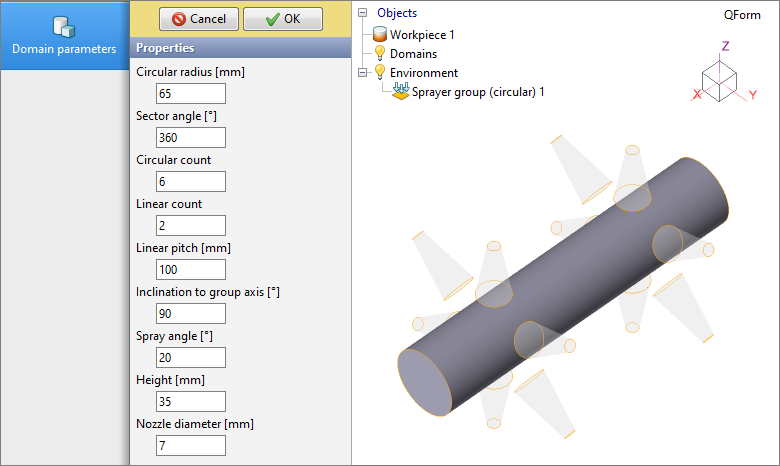
When creating a circular array, it is also possible to specify the parameter Inclination to group axis.
|
Information |
If several sprayers act simultaneously on the same part of the workpieces plain surface, then their heat transfer coefficients are added up. |
|
Likewise Add sprayer command there is an advanced function Add sprayer DB. For such a boundary condition it is necessary to select or create a sprayer in Sprayers database. For a such sprayer, it is additionally necessary to indicate the corresponding values of flow properties.
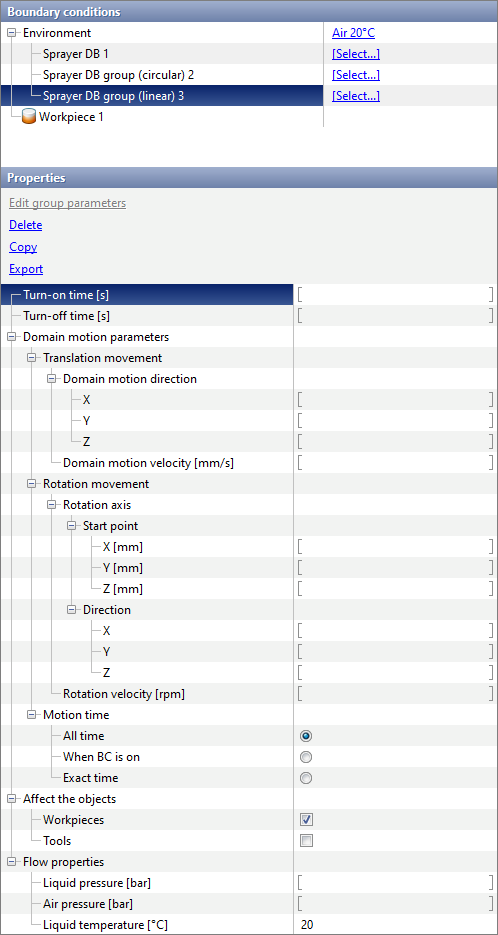
These sprayers also support the creation of circular and linear arrays.
See also: