Standard sprayers database, supplied with the software, contains examples of sprayers. The sprayers database allows you to create and store sprayer models for quick and convenient configuration of liquid and air-liquid cooling systems.
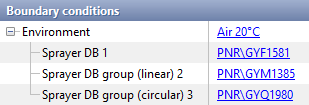
In QForm UK sprayers can be assigned as an additional environment boundary condition. Sprayers model from the database are assigned separately for each sprayer DB or for each element of the DB sprayers array on the tab Boundary conditions.
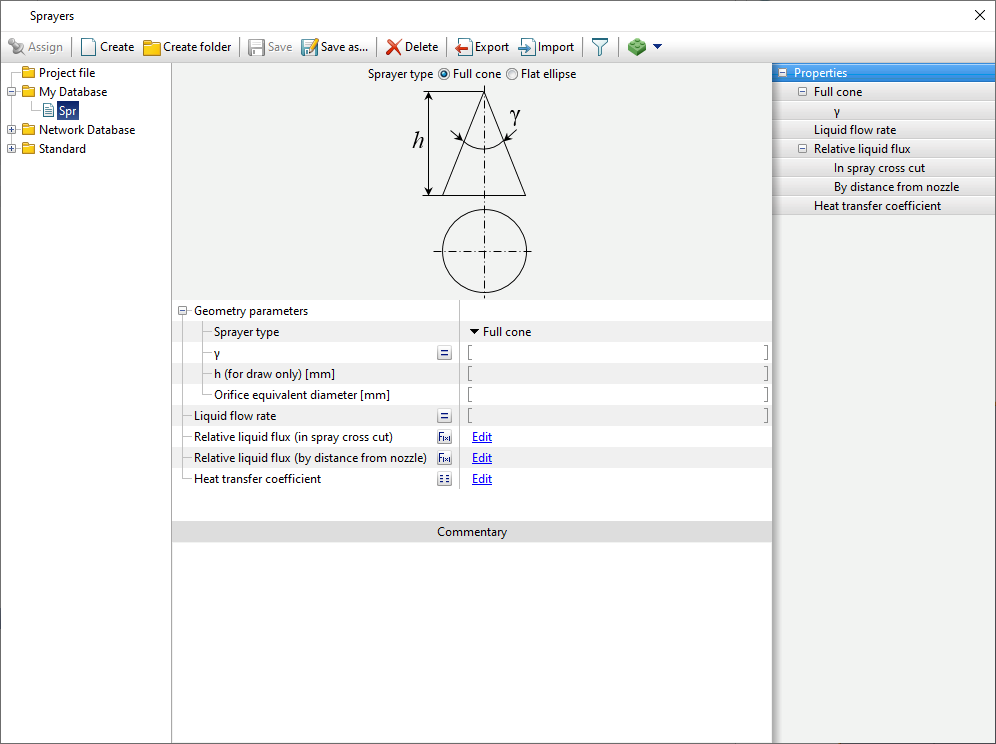
In the sprayers database, the sprayer type can be chosen between Full cone or Flat ellipse. The sprayer type determines the acting domain of this boundary condition.
For sprayer type Full cone the opening angle of the full cone should be specified.
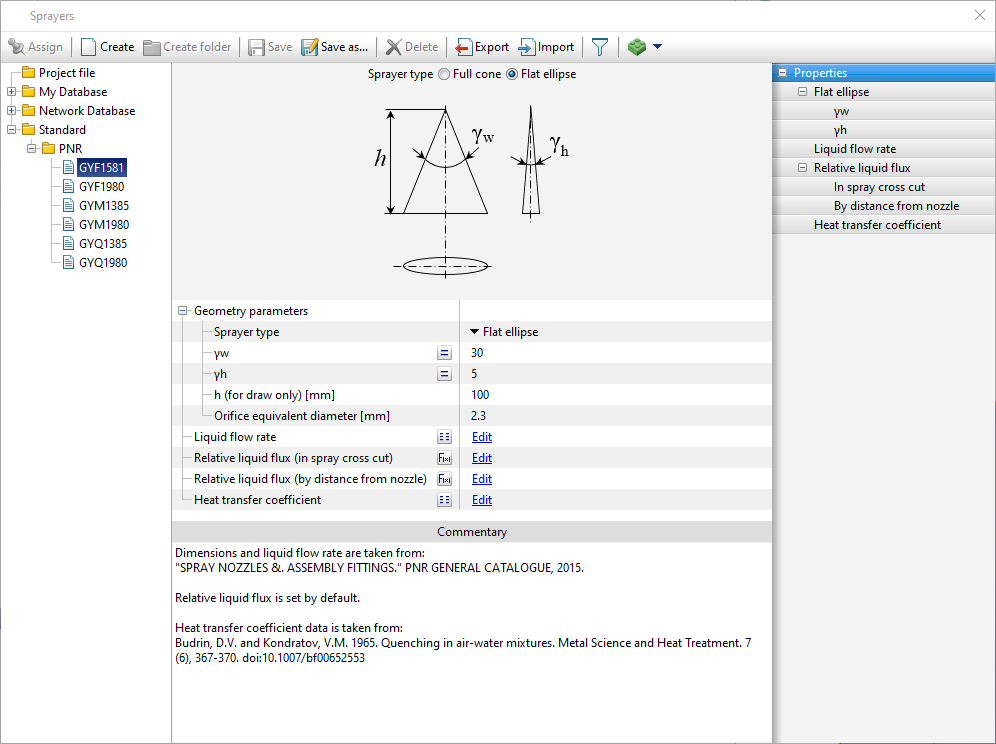
For sprayer type Flat ellipse two angles that define the elliptical cone should be specified.
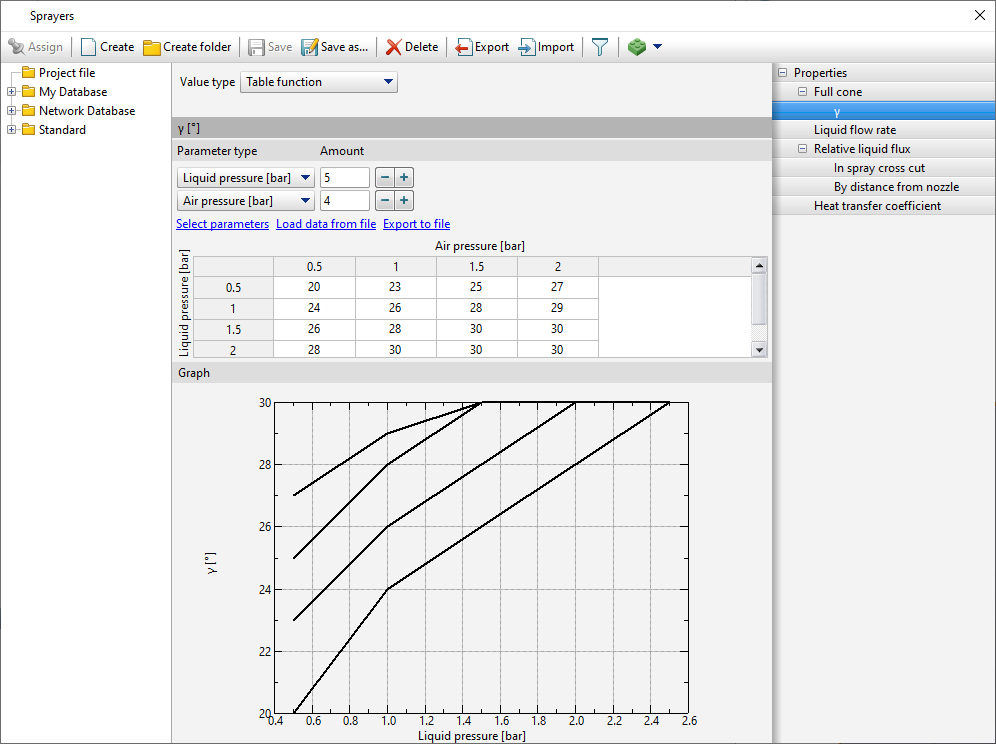
The angles value can be constant or set as a table function of pressure, which makes it possible to take into account the possible change in the spray angle depending on the liquid and air pressure.
For ease of display, you can change the displayed height of the sprayer.
|
Important |
Despite the fact that the height of the additional area is limited, the boundary condition acts beyond it in a given direction. |
|

Orifice equivalent diameter refers to the diameter of a circular jet that provides the same flow rate as sprayer's jet.
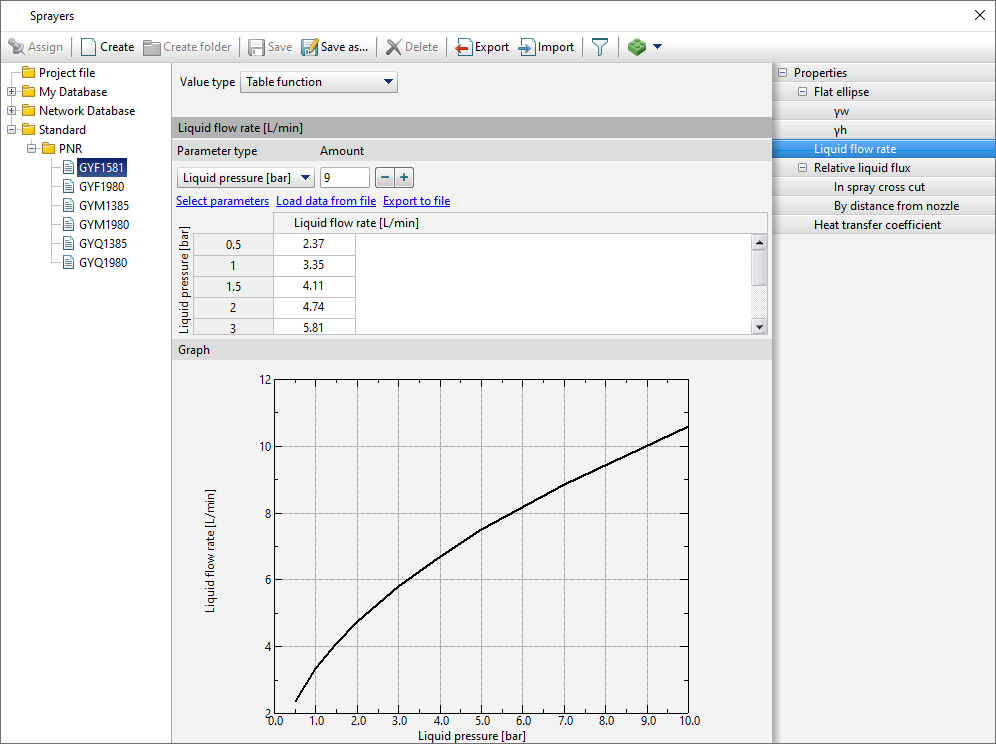
The necessary data for Liquid flow rate can be found in the sprayer passport (manufacturer's catalog). This parameter can be constant or specified by a table function. It is possible to specify liquid pressure and air pressure as arguments of the table function . These parameters are specified as a flow properties for each individual sprayer on the tab Boundary conditions.
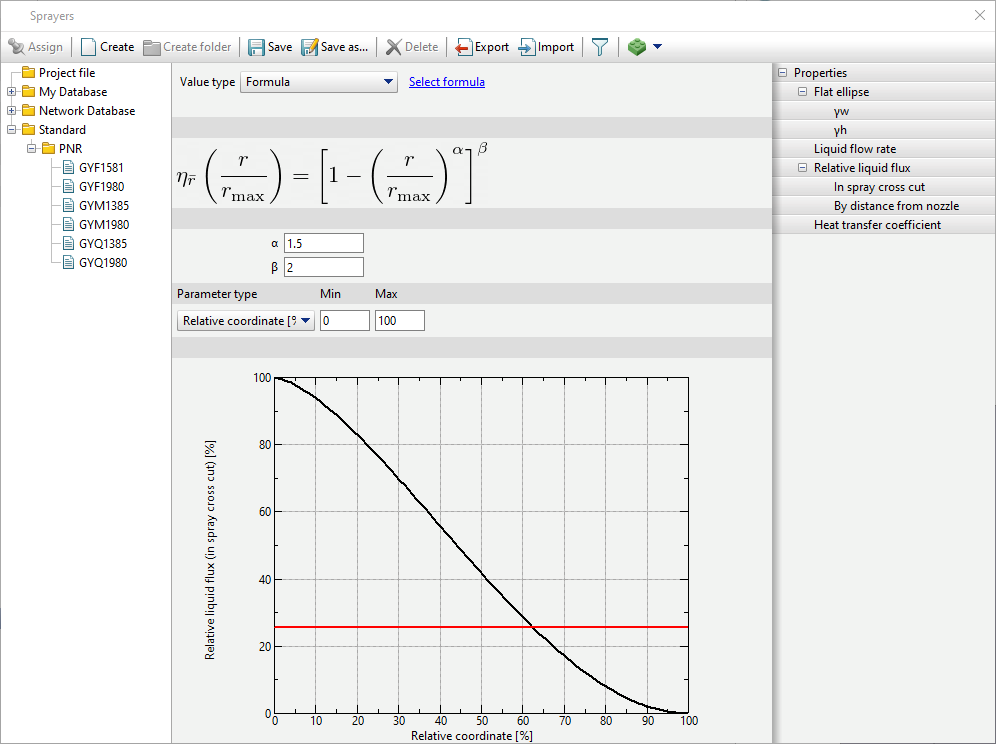
Relative liquid flux determines the pattern of spraying, namely the distribution of the flow of the liquid within the boundary condition. It is possible to adjust the relative fluid flow By cross section and By distance from nozzle. These parameters are a liquid flow rate multiplier, i.e. determine the relative velocity of the fluid at any point in domain of the boundary condition. These parameters can be specified by a table function or formula. The parameters of the formula for the relative fluid flow by cross section by default correspond to the general fit by sprayer.
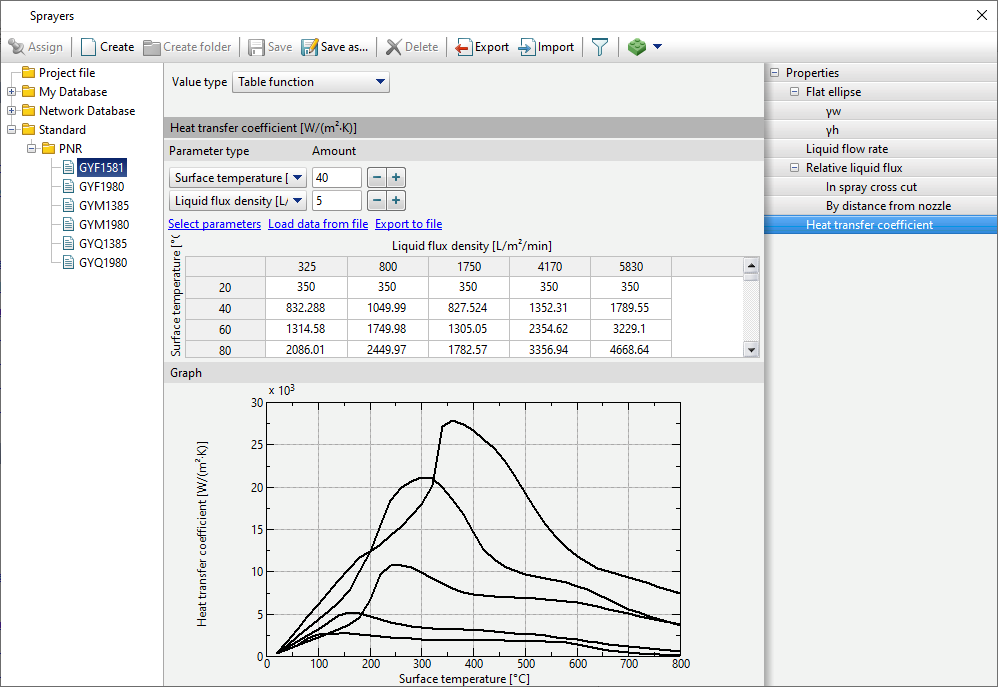
When the sprayer acts on the cooled surface, the liquid flow is recalculated into the surface density of the liquid flow. The Heat transfer coefficient can be constant or given by a table function. As arguments of the table function, it is possible to specify the Liquid flux density, Surface temperature and Liquid temperature.
There is also a system of source data preparation check. If one of the required parameters is not set, missing parameter will be highlighted and a warning message window will appear while trying to start a simulation.
See also: