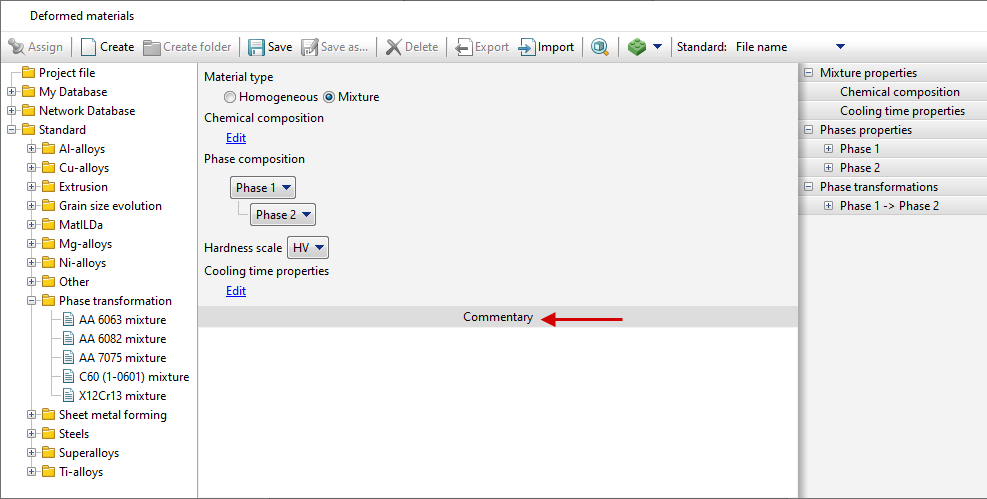
For simulations in Phase transformations module, mixture (multiphase) materials need to be created. First, the phase composition of the material need to be specified, then the properties of each phase.

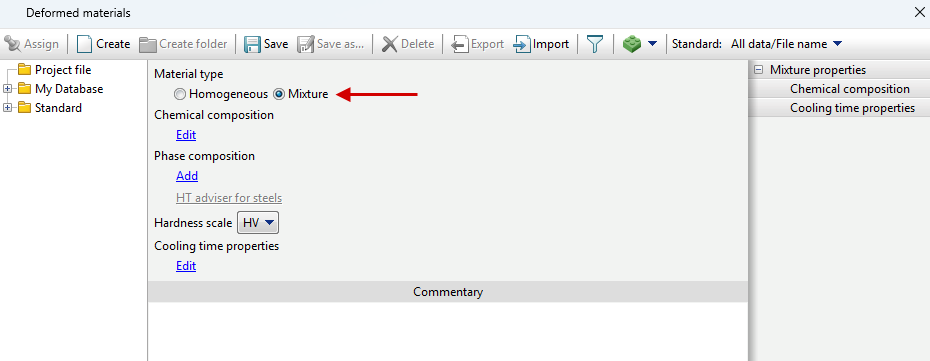
To simulate heat treatment processes it is necessary to use mixture material, for this purpose in the editor Deformed materials it is necessary to switch Material type to Mixture on the tab Properties.
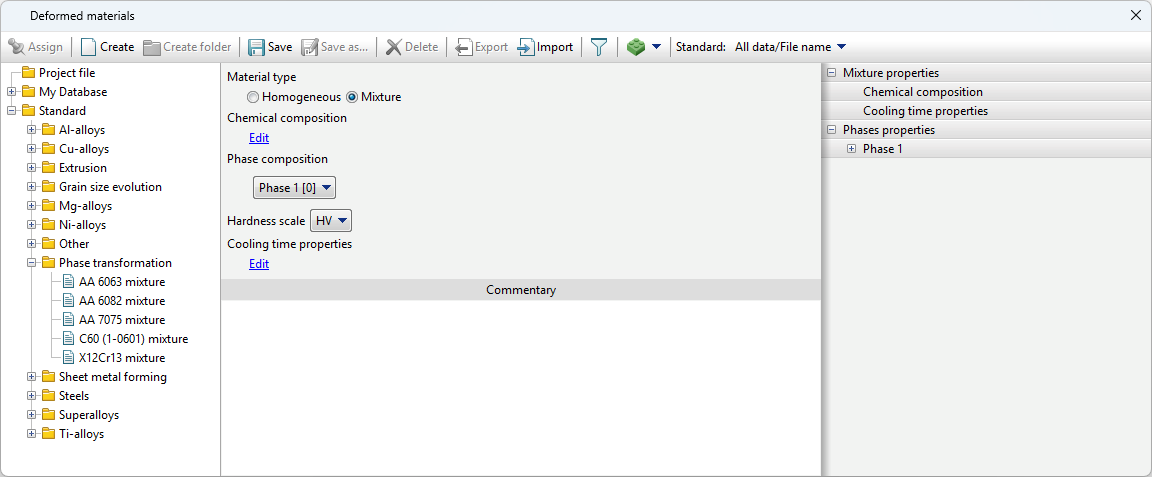
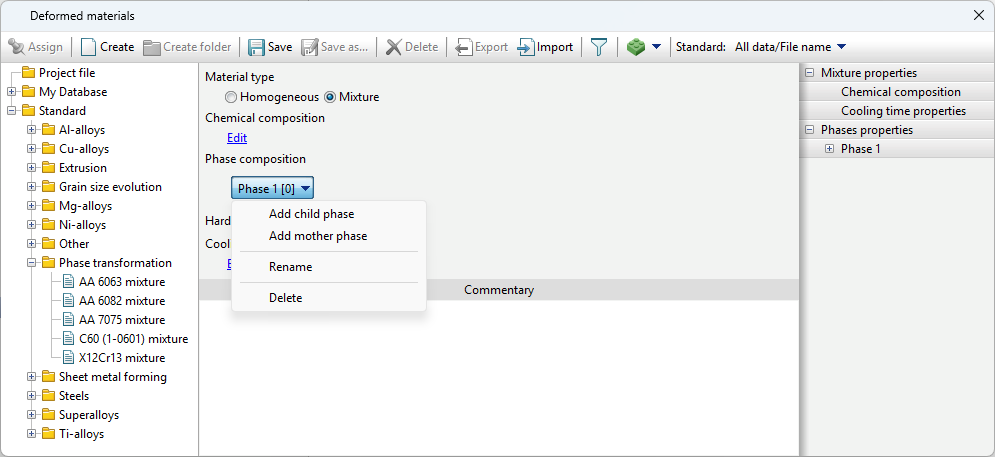
The list of phases in a material is specified in a tree structure Phase composition. When creating a new material, the list is empty and by clicking Add you can create the initial phase. In this case, the drop-down list Phase Properties appears in the tab Properties. The tab Phase 1 [0] appears, which lists all the properties that the user can set for an individual phase. Index [0] shows the phase number for use in lua subroutines.
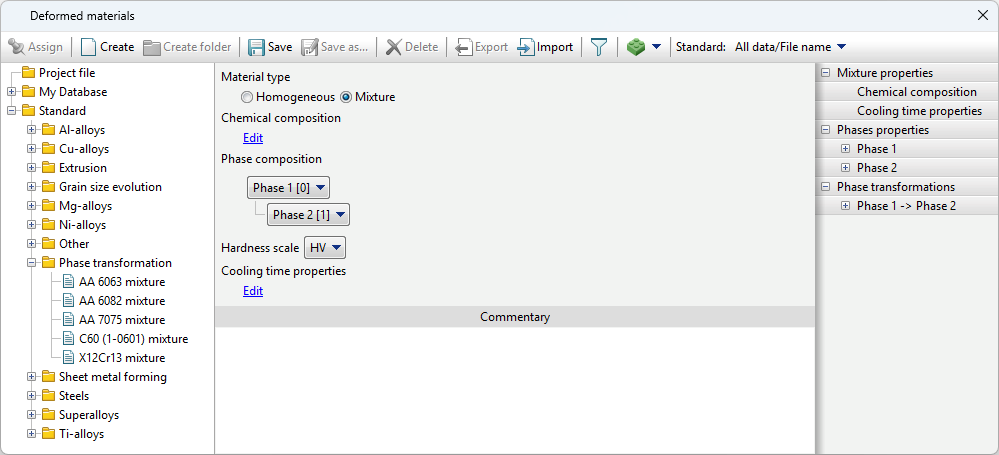
To add a child phase (transformation product phase) to the material, you must use the command Add child phase from the drop-down list, for the source phase - Add mother phase. The list also provides the commands Rename - to change the name of a phase and Delete - to delete a phase.
After adding a child phase, the tab Phase properties appears in the Properties. As well as the tab Phase transformations with automatically created phase transformation Phase 1 -> Phase 2. The name of the phase transformation is automatically changed when the mother or the child phases are renamed.
The addition of other phases is done in the same way. |
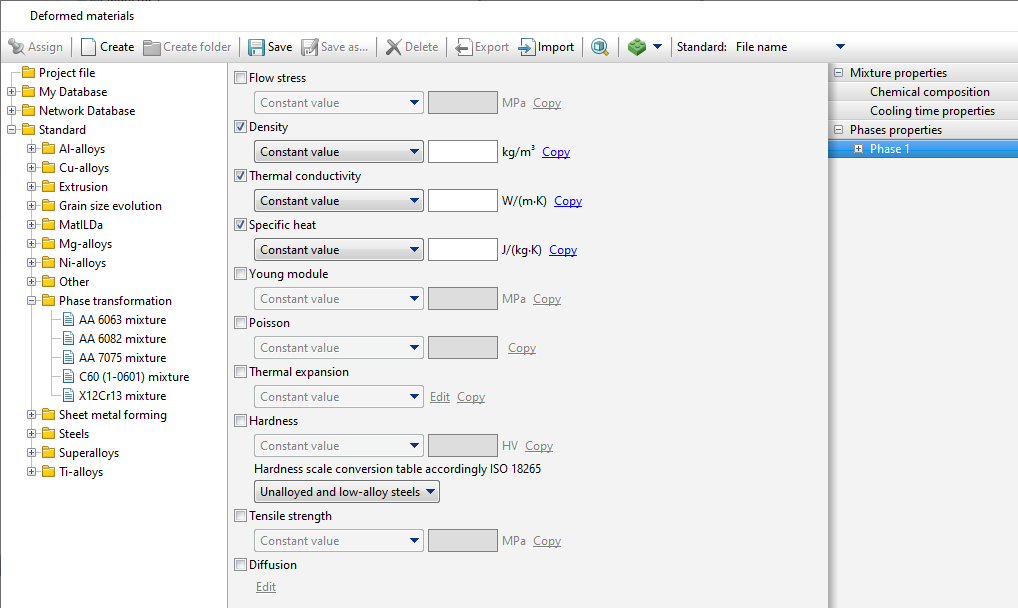
The set of phase properties is similar to the set of properties of homogeneous material.
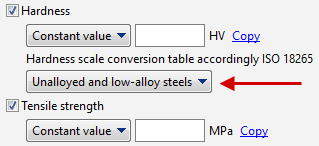
In order to simulate the phase composition change during heat treatment, values for density, thermal conductivity and heat capacity must necessarily be given. In order to predict warpage during heat treatment, it is necessary to additionally specify the properties necessary for the calculation of the elastic-plastic problem: flow stress, Young's modulus, Poisson's ratio, thermal expansion coefficient. If the values of the specified properties are not set for a phase, they will be copied from the phases for which they are set (if they are set for at least one phase). For Predicting operational properties of workpieces after heat treatment, the user can specify properties: hardness, tensile strength. The hardness is given in Vickers ( ISO 6507). For hardness conversion for each phase, there is an option to select a hardness conversion table from ISO 18265. When analyzing the results, both the Vickers hardness field and the hardness field of the selected scale can be displayed.
In the comments section you can specify the necessary information about the created material.
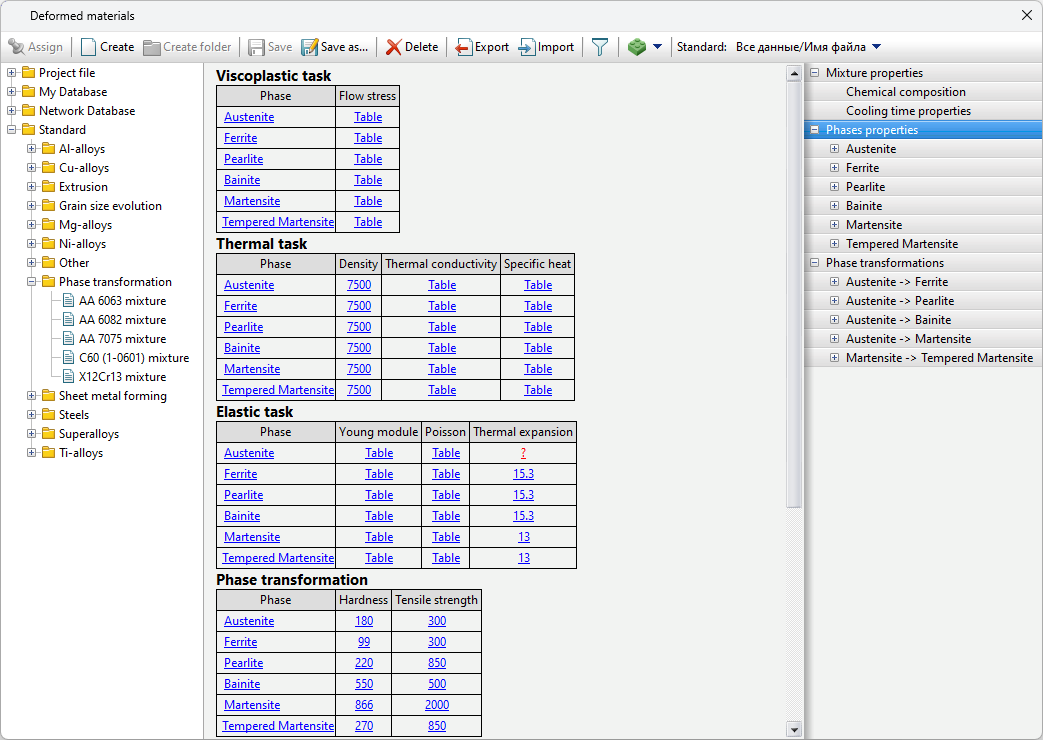
After setting all phase properties, you can open the Phase properties tab to display summary tables with phase properties. If no value is set for a property, a red question mark will take the place of the value.
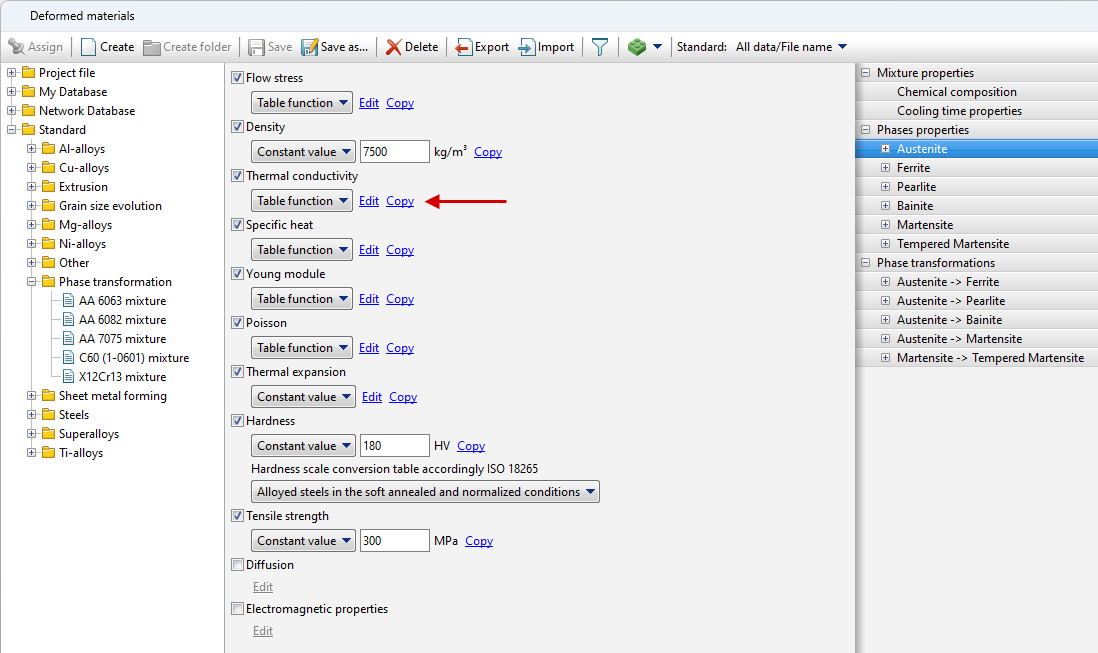
If you want to copy a material property for multiple phases, you can use the Copy option.
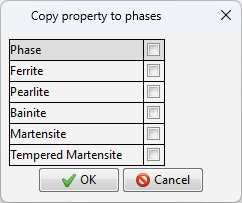
Next, you should select to which phases to copy the selected material property.
|
In addition to creating mixture materials manually, it is possible to create them using the QForm UK phase transformation property generation wizard HT adviser for steels (for general steels only, calculates properties based on the specified chemical composition).
Another option for obtaining phase transformation properties based on chemical composition is to import the material from JMatPro.
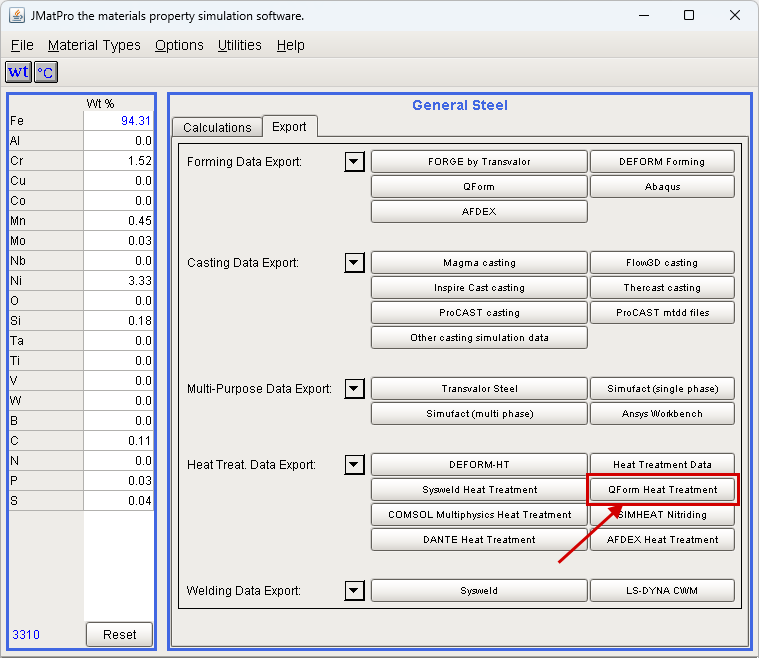
Starting from JMatPro v.10, it is possible to export to QForm UK the properties of phases: austenite, ferrite, pearlite, bainite, martensite, as well as parameters of phase transformations - both direct (from austenite to child phases) and reverse. To export, click on the QForm Heat Treatment button after filling in the chemical composition for the specific material.
|
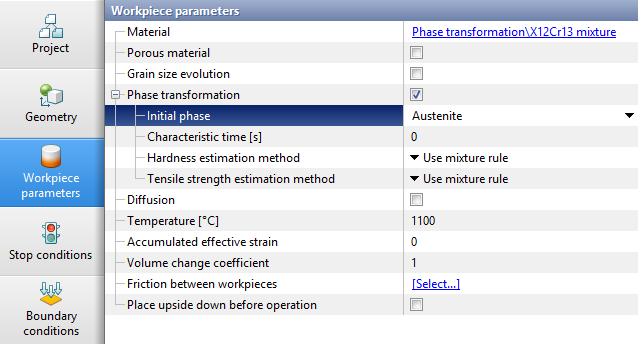
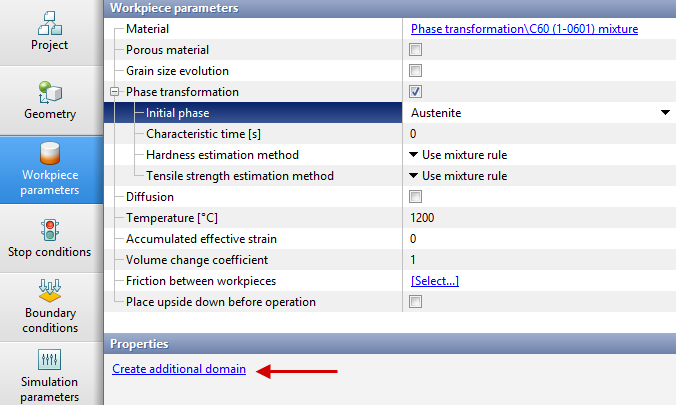
When simulating the operation in module Phase transformations, the initial phase or a mixture of multiple phases must be selected from the drop-down list in the Workpiece Parameters.
If you want to specify the initial percentage of phases in the workpiece, you should select the Mixture option in the Initial phase line. When specifying hardness and tensile strength in the material model for Characteristic temperature interval, the calculation method should also be switched to Use characteristic temperature interval. In case there is a need to set different phase compositions in different parts of the workpiece at the initial moment of the operation, click on the Initial phase, and then in the Properties window, click the Create additional domain button. Next, you need to create an additional domain of the desired shape and then to position it. Below the line Initial phase the line Initial phase 1 will appear, for which you can select the initial phase or mixture in the same way.
|