In QForm UK has implemented the feature of automatic report generation that containing the initial project data and simulation results in the text, figures and graphs formats. The report is generated on the basis of preliminary developed user template in MS Microsoft Word with the *.dotx extension, or template in MS PowerPoint with the *.potx extension.
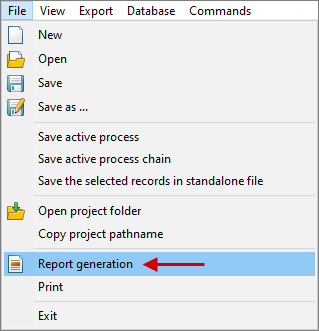
To generate the report, you must open the desired project and in the Main menu select File - Report generation.
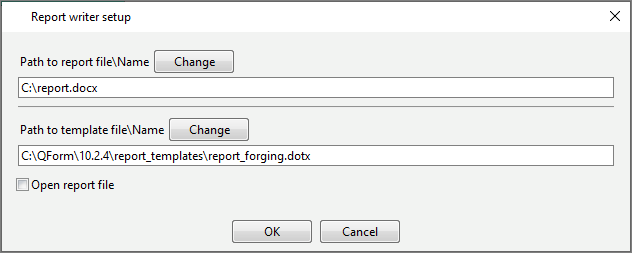
In the opened window, specify the path to the custom template, as well as the path to save the report file with the extension *.docx or *.pptx.
|
|
After clicking OK the software starts report generation following the script described in the report template in the *.dotx (MS Word) or *.potx (MS PowerPoint) formats using special tags.
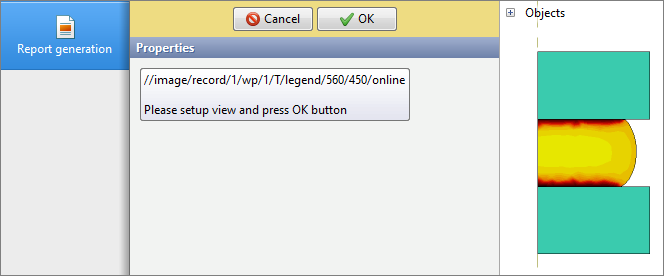
All data is recorded in the report automatically, except for pictures for which the manual settings are specified in the script. If according to the report scenario there is a picture with manual settings (tag //online), report generation is paused, and the software prompts the user to select the desired view and field. After pressing OK the customized image is added to the report, and report generation continues:
See also:
Description of report template tags