Gerasimov Dmitry, Ivan Sergeev
The calculation control panel is used to start, stop, and monitor the calculation process.
The figure below shows the basic feature of this panel:
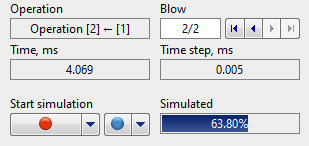
A |
The Name of the current operation. |
B |
Process time at the current step. |
C |
Start/stop calculation. |
D |
Start tool simulation. |
E |
Simulation progress. |
F |
Increment in time at the current step. |
G |
Switching between blows. |
H |
Active blow/total blows. |
The appearance of the panel during the calculation:
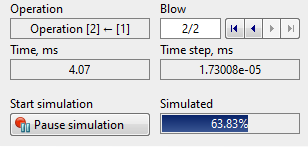
The start/stop simulation button has the following additional options:
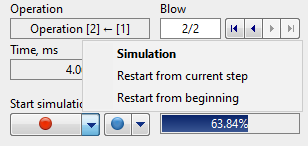
Simulation – the simulation will continue from the last counted record of the entire operations chains. This feature is enabled by default.
Recalculate from the current step – start the simulation from the record selected on the Playback bar. All record following the selected record will be recalculated.
Recalculate from the beginning – start the calculation from the beginning of the active operation (blow). All records of the active operation (blow) will be recalculated from the beginning.
The tool simulation start button has the following advanced feature:
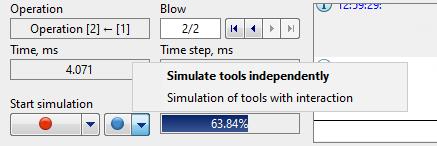
Independent tools simulation – start tools simulation without taking into account the interaction between them.
Coupled tools simulation – start tools simulation, taking into account the interaction between them.
More detailed information about the tool simulation methods can be found in the Coupled deformation and Features of tool deformation models sections.
The simulation control panel can be hide help a keyboard shortcut ctrl + B.