In QForm UKthe Project consists of Processes, Process chains and Operations.
The creating of new processes, including one or more operations chains, copying processes and technological chains, switching between operations to change the initial data or viewing the simulation results are available in the tab Project:
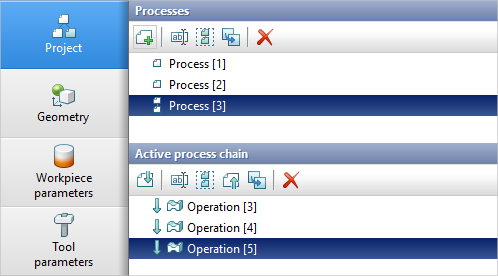
By default the process name is written in the next format: Process [Global process number].
By default the operation name is written in the next format: Operation [Global operation number].
The global process number corresponds to the global number of the first operation in this process.
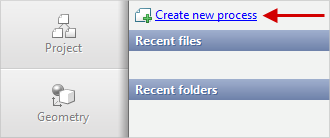
To create a new process in an empty project file, use the command Create new process:
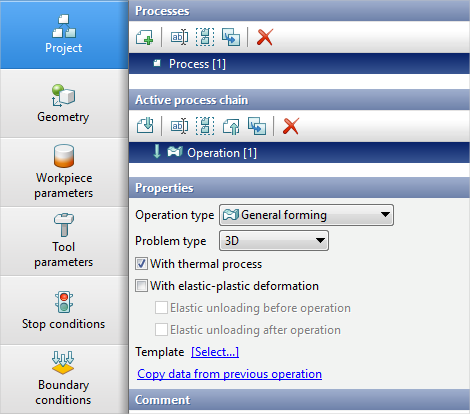
The mode of creating a new operation is activated after executing the command Create a new process :


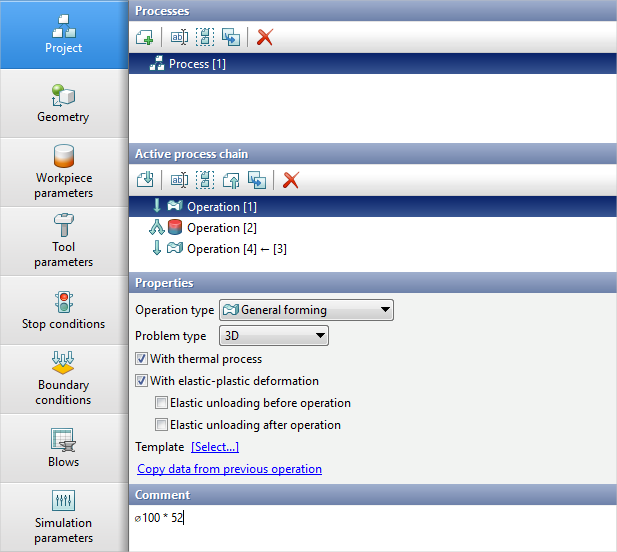
After setting the source data for the first Operation of the created Process the Project tab will look as shown in the figure below:
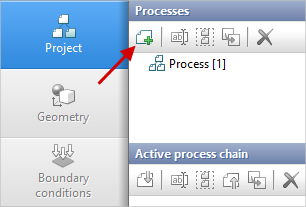
To create a new Process in a project that already contains other processes, click the corresponding button on the panel Processes:
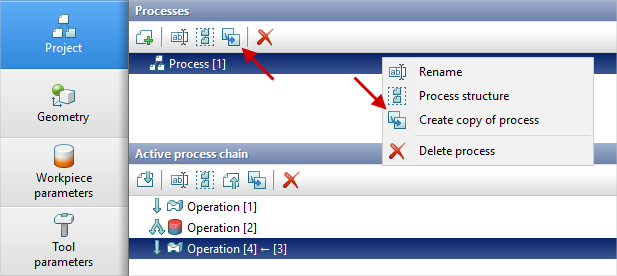
To create a copy of the Process, right click on it and select Create copy of process or press the corresponding button on the panel Processes:
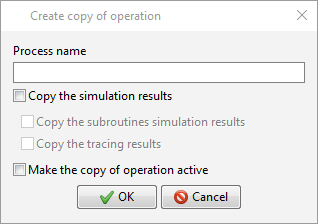
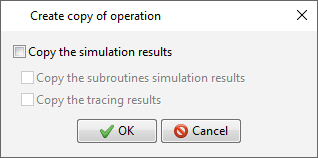
A window where you can enter a name of the new Process, indicate whether the results of the simulation, the simulation results of subroutines and the tracing results should be copied, whether the created copy should be made active is appeared:
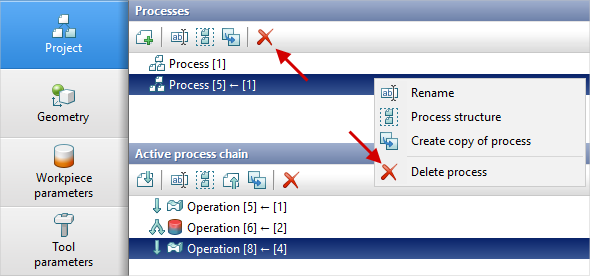
See also: As a result, the Process with all Operation chains it consists of will be copied. If option Make the copy of operation active has not been selected, to activate necessary Process just click on it with the left mouse button. For removing Process right click on it and select Delete process or press the corresponding button on the panel Processes:
To delete several Processes at once, select the desired Processes by holding down the Ctrl key. To set the new Process name use the command Rename in the same context menu or use the corresponding button on the toolbar Active process chain. To save the selected Process in a separate file, choose it and click File > Save active process in the main menu. In this case, a window in which you can choose whether to copy the simulation results will appear:
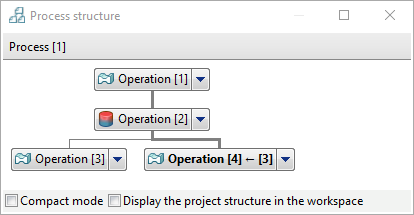
The command Process structure opens a window containing Operation chains for only selected Process:
|
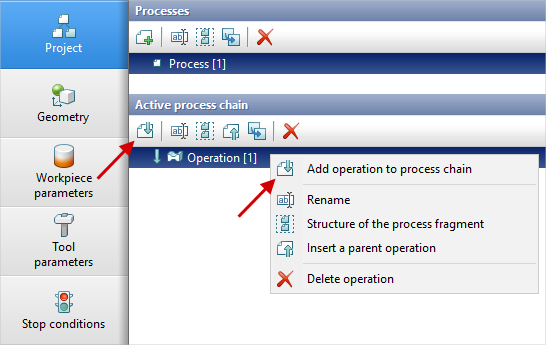
To create a continuation of an Operation, select it and click Add operation to process chain. This can be done with the help of the button on the panel Active process chain or by right-clicking on the corresponding operation and selecting the command:
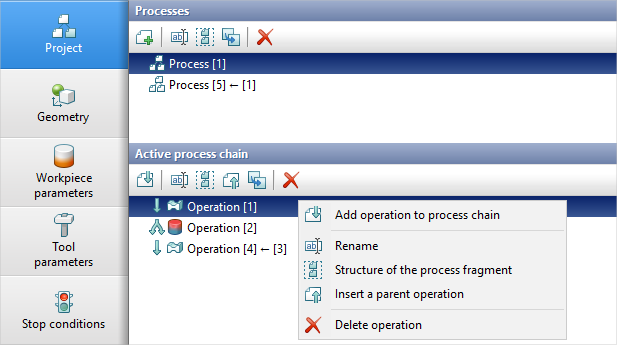
Renaming, copying and deleting of Operations is performed in a similar way to Processes. Right click on the desired Operation of the active Process chain and select the desired command:
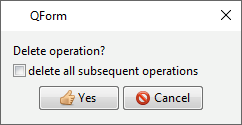
The first Operation of the process chain cannot be copied to a separate branch, as it is the basis of the Process, and in this case the entire Process will be copied. When removing an Operation, you can delete either the selected Operation, or selected Operation and all subsequent operations:
When copying an Operation, not only a copy of the selected Operation is created, but also all Operations following the selected one. Thus, a new Process branch is created. It is possible to create a preliminary Operation. It can be inserted between two Operations or before the first Operation. To do this, select the command Insert a parent operation. When selecting an operation in the tab Project it is possible to specify reference information in the window Comment. You can write a comment for any operation either in the current tab or in the Operation tab in the mode of creating a new operation. For example:
The command Structure of the process fragment opens a window containing the active Operation and all Operations chains belonging to this operation:
|
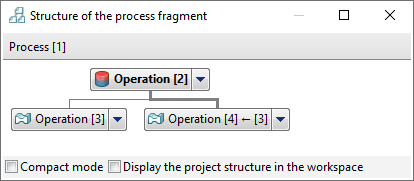
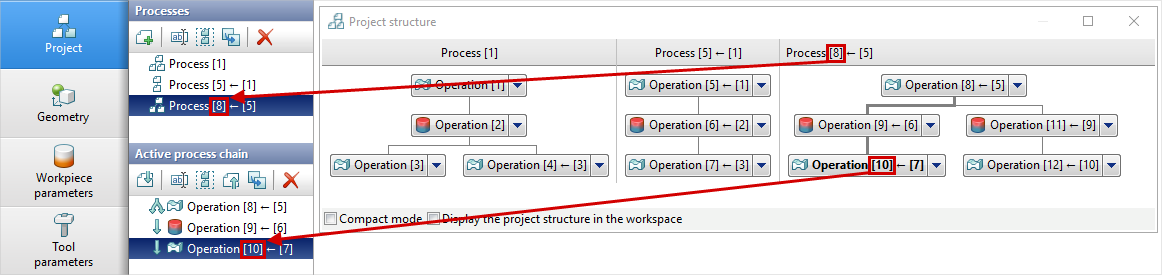
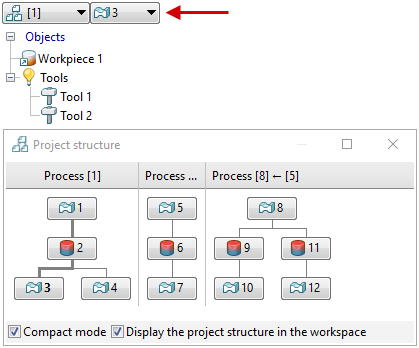
Switching between Processes, Operations chains and Operations to view the simulation results and change the initial data of operation is available using the Project structure window. This window is called by the button The Project structure window is shown in the figure below. Active Operation is highlighted in bold. Active Operation chain is highlighted with a thick gray line, the same chain is displayed in the section Active process chain. The necessary Operations chain can be activated by clicking on the last Operation of this chain in the Project structure window:
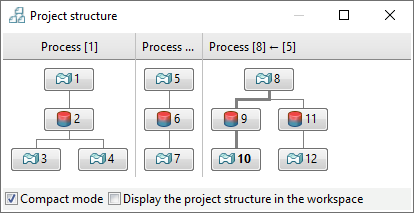
For example, if you need to change the same parameter in several operations, you can go to the corresponding tab, change this parameter, then open the Project structure window with a button If the Compact mode is activated, then only global numbers of Operations will be displayed, and their names will be hidden. This option can be useful if the project has a lot of operations with long names:
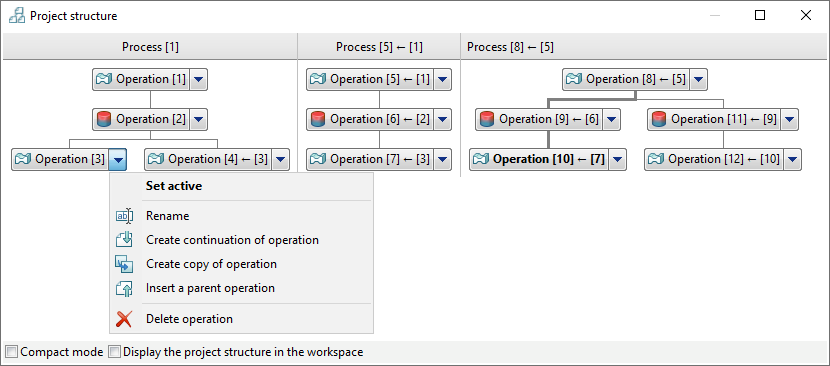
The list of commands is called by clicking the left mouse button on the arrow to the right of Operation in the Project structure window.
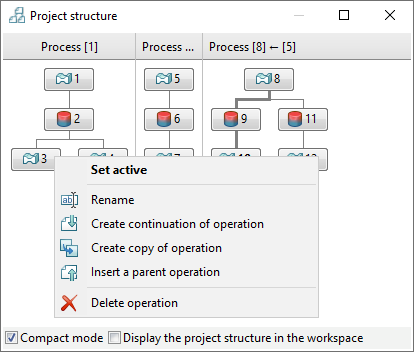
When using the compact mode - by right-clicking on the rectangle with the operation number:
The Project structure window also allows you to activate drop-down lists for switching between Processes and Operations in the upper left corner of the results overview window when the Display the project structure in the workspace is activated.
|