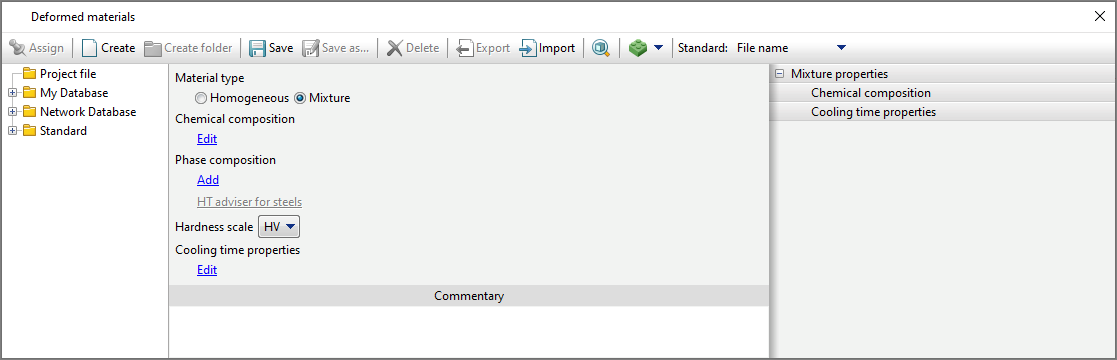
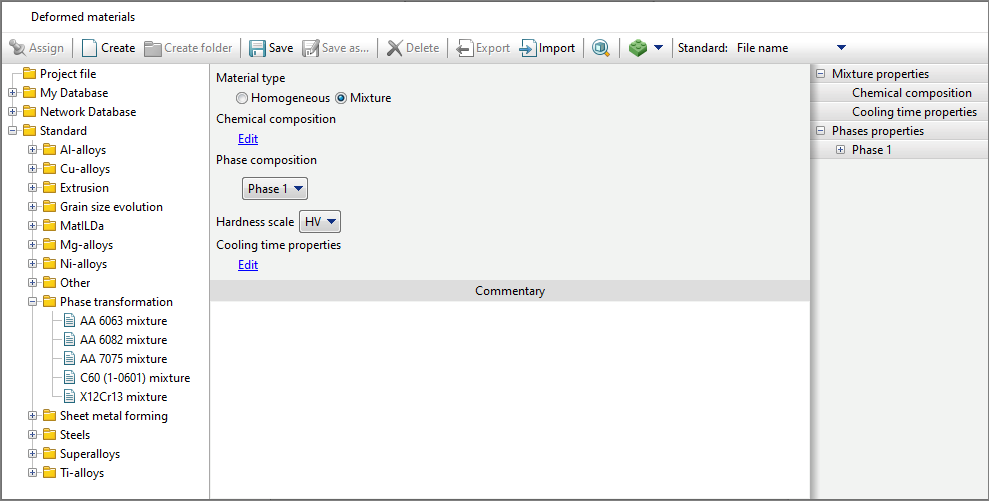
To simulation heat treatment processes, it is necessary to use a multiphase material, for which the editor Deformed materials required on the tab Properties switch Material type install in position Mixture.
The list of phases in the material is given in a tree structure Phase composition. When creating a new material, the list is empty and by clicking on the button Add you can create the original phase. At the same time, on the panel Properties drop-down list appears Phases properties and it has a tab Phase 1, which lists all the properties that the user can set for an individual phase.
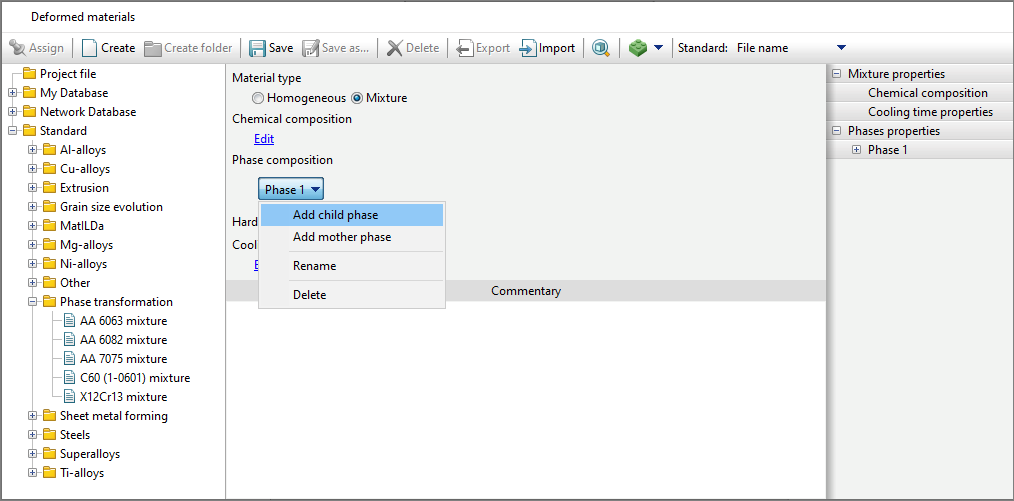
To add a child phase (transformation child phase ) to a material, you must use the command Add phase product from the drop-down list, for the original phase - Add initial phase. The list also includes commands Rename - to change the phase name and Delete - to remove the phase.
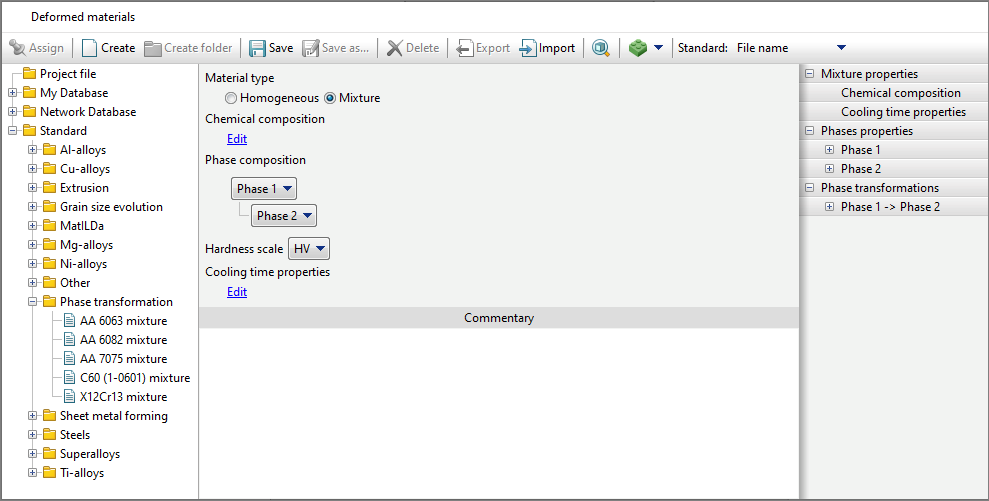
When adding a child phase, in the list Phases properties a tab with properties for the created phase appears, and on the panel Properties drop-down list appears Phase transformations and a phase transition is auto added to it Phase 1 -> Phase 2. The Name of the phase transition is auto changed when the parent or child phase is renaming .
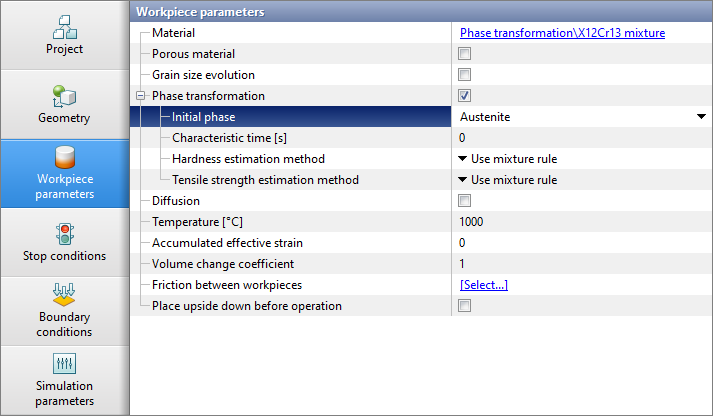
The addition of other phases is carried out in a similar way. In addition to the phase composition, the user can also set the properties inherent in the multiphase material as a whole: characteristic temperature range, hardness, tensile strength, chemical composition, and also add an arbitrary text comment. When simulation an operation in a module Phase transformation, on the tab Workpiece parameters the initial phase or a mixture of several phases must be selected from the drop-down list.
When specifying the hardness and tensile strength in the material fit by through Properties of the characteristic temperature range to simulation , switch the calculation method to According to the characteristic temperature range. |
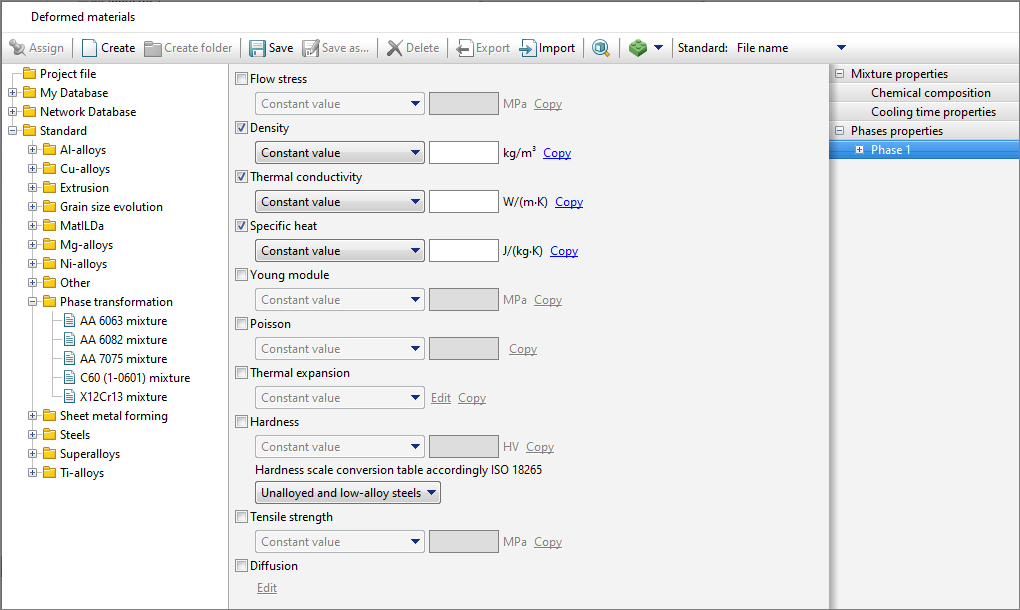
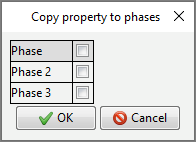
The set of phase properties is similar to the set of properties homogeneous material. To simulation the change in phase composition during heat treatment, it is necessary to set value for density, thermal conductivity and specific heat. To predict warpage during heat treatment, it is required to additionally set the properties necessary for simulation the elastic-plastic task: flow stress, young module, Poisson's coefficient , temperature coefficient of linear expansion. If the value of the specified properties are not set for any phase, then when starting the simulation , they will be copied from the phases properties for which they are set (if they are set for at least one phase). For predicting the performance properties of a part after heat treatment, the user can set properties: hardness, tensile strength. Hardness is given according to Vickers (cm. ISO 6507). For hardness conversion for each phase , it is possible to select a hardness conversion table according to ISO 18265. If you need to copy a material property for several phases, you can use the feature Copy and select for which phases to copy the selected material property .
|