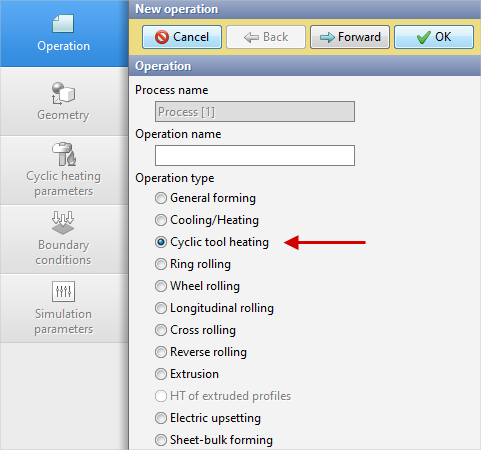
The cyclic tool heating module in QForm UK is designed to determine the temperature in tools after a user defined number of forging cycles. To enable the module you have to select Operation type – Cyclic tool heating.
|
Important |
Operation type – Cyclic tool heating is available for selection only as a second operation. In the first operation you should select Operation type – General forming. Also in the first operationHeat transfer to workpiece - Coupled should be set. |
|

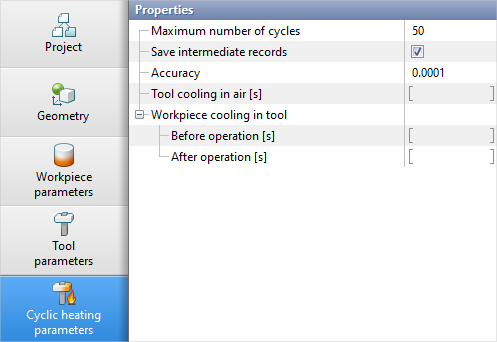
Cyclic heating parameters
•Maximum number of cycles – the maximum number of cycles that can be simulated in the operation.
•Save intermediate records – save all simulation steps for each heating cycle or only the first and last step.
•Accuracy – characterises the temperature change between two heating cycles. When the user defined value is reached, the cyclic heating simulation stops. Calculated as follows:
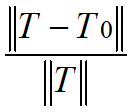 , where:
T 0 - temperature of the previous cycle;
T - current temperature;
•Tool cooling in air [s] – cooling the tool in air before each cycle.
•Workpiece cooling in tool – cooling of the workpieces in the tool Before operation [s] and After operation [s].
See also:
Example of Cyclic tool heating modeling