Technical support includes the providing of new versions, bug fixing and consultations from technical experts.
Technical support is provided by:
•engineers and managers Micas Simulations Ltd. - [email protected]
•Representatives in countries and regions - contact information on the website www.qform3d.com/contacts
In a question to technical support, please briefly describe your problem, specify the QForm UK version and if possible, attach the simulation file with *.qform and pictures with explanations.
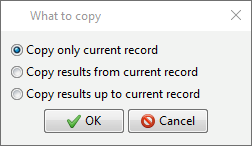
If a problem occurs during the simulation, you can save the results of the last successfully calculated operation to a separate directory and send the saved directory to technical support. To do this, use the special command Main menu > File >Copy selected calculation records to a separate file. Please select what you want to copy in the appeared window :
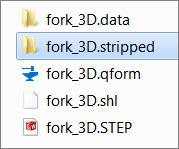
QForm UK copies the project file *.qform and selected record in a separate stripped-directory whose name matches the name of qform- file:
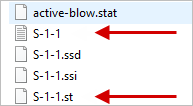
If an error occurs during the simulation process, and the user cannot decrypt it on his own, it is recommended to send to technical support Micas Simulations Ltd.additional files *.log and *.st for the operation or blow on which this error occurs: