Processor applications have some differences from post-processor subroutines. First, such a subroutine performs the computations during the simulation, which affects the final results. Second, there are differences in the structure of the subroutine. In QForm UK there are two types of processor subroutines that are used to specify the flow stress resistance of the workpiece material (FlowStress()) or friction Law for lubricants (FrictionStress()).
Processor subroutines may contain computations of user fields, these fields are declared in the function UserFields(), which works as described in previous chapter. All user's fields will be viewable by standard means, and can be used as arguments to the functions FlowStress()and FrictionStress().
|
Important |
|---|---|
The computations of the function UserFields() in processor subroutines execution have the following features: •Only these variables: t, dt, strain, x, y, z have the current value; •Current values ofother variables are equal to the previous values. For example strain_rate = prev_strain_rate. |
|


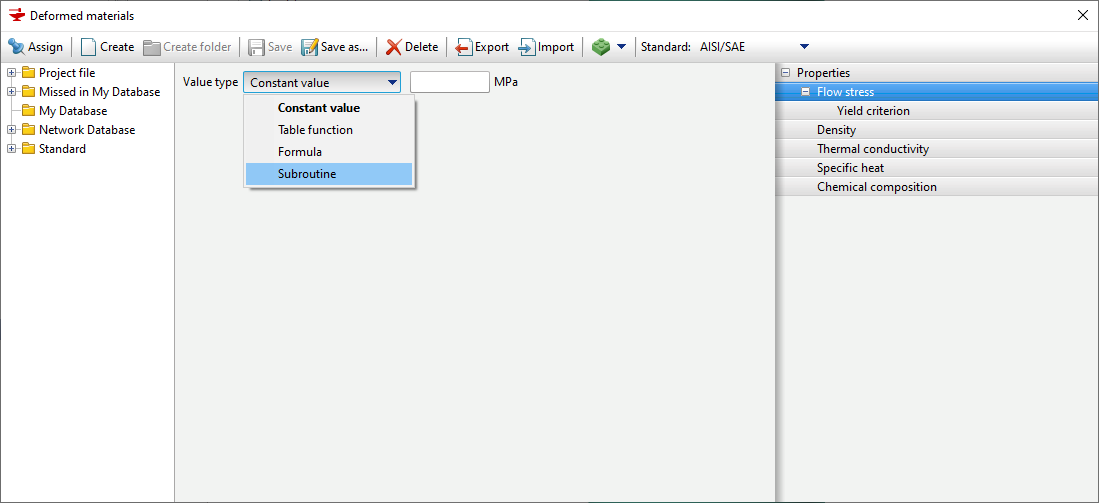
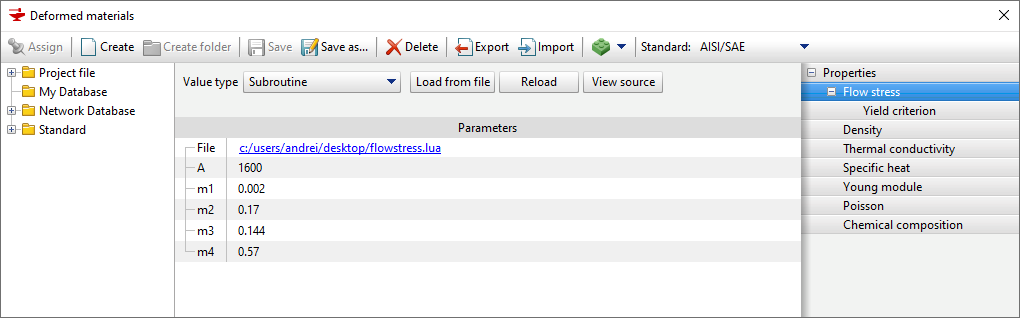
In order to download the subroutines execution for flow stress calculation, it is necessary create a workpiece material (or copy an existing one) in material database, user defined workpiece parameters, and select Subroutine in the selection menu Flow Stress . Next, in the Flow Stress tab, click on Load from file. After selecting the file with the code Lua, a table of parameters will appear if they are defined in the subroutines. After saving the workpiece material, it can be assigned to workpiece.
To compute flow stress, the subroutines execution must contain the auxiliary function FlowStress(). This function accepts standard and user workpiece fields parameters, and uses the return commands to return the flow stress value. Using the store() function within the FlowStress() function is not allowed. See also: Example of flow stress computations using the Hensel-Spittel formula Example of flow stress computations using the Henssel-Spittel formula with the use of user's fields |
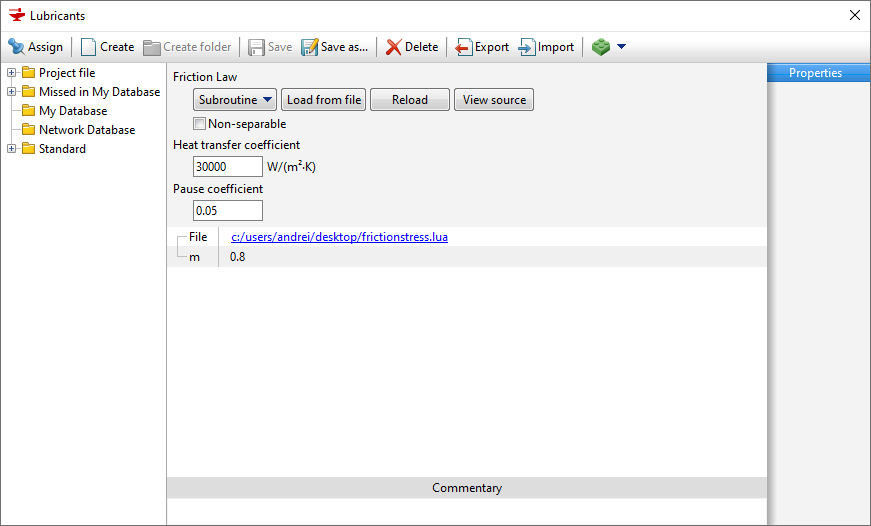
In order to download a subroutine for Friction Law, you should set an object in the lubricant database (or copy an existing one), set its parameters, and in the Friction Law select Subroutine. Next, in the Friction Law tab, click on Load from file. After selecting the file with the code Lua, a table of parameters will appear if they are defined in the subroutines. Once the lubricants are saved, they can be assigned to tools.
To activate the subroutine, you must use the auxiliary function FrictionStress(). This function takes standard and user's workpiece fields as parameters, and uses the return commands to return a value.
The value returned by the subroutine is used as follows for computations of the friction force:
Where:
See also: |