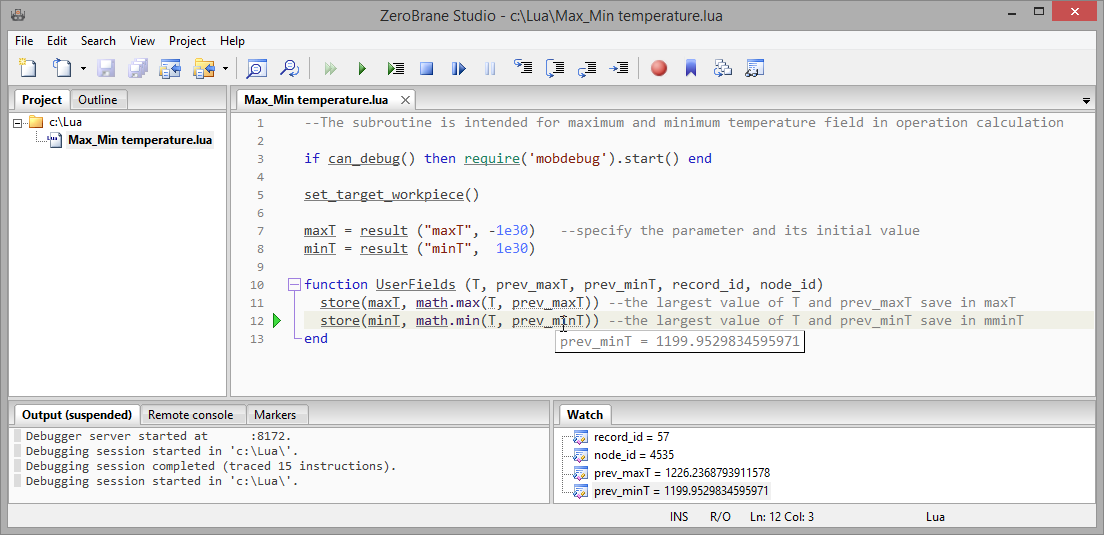
In QForm UK it is possible to check the user subroutines execution during the simulation using the ZeroBrane Studio program (http://studio.zerobrane.com).
For debugging, you need:
1.Open subroutine code in ZeroBrane Studio;
2.Make sure that the directory with open subroutine is set in the Project panel (on the left);
3.Add the following line to the subroutines code:
1 |
|
if can_debug()thenrequire('mobdebug').start()end |
4.Activate option Start Debugger Server in the Project menu;
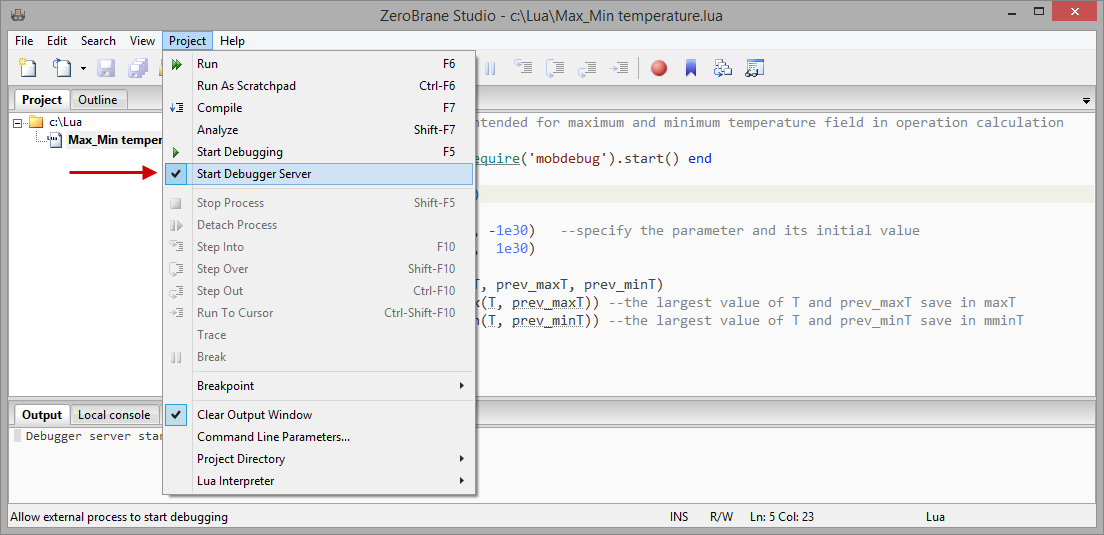
5.Add subroutine to QForm UK in the tab Subroutines;
6.Execute subroutines.
|
Important |
Only Latin letters (A-Z, a-z), numbers, and symbols are allowed in the path to the subroutine and in its name. |
|

The subroutine debugging will be start automatically in ZeroBrane Studio after starting the subroutine execution in QForm UK The green triangle icon will appear, showing the current calculation line. Further debugging is performed using commands on the Toolbar panel. For example, the button  allows you to forcefully stop code execution on the selected line.